Denis Cercasin
Reference documentation
Table of contents
App Root & Utilities
index()
Route: /
Methods: GET
Purpose:
Displays the landing page (auth/landing_page.html) as the entry point for non-authenticated users.
Sample output:
Renders the public-facing landing page. .png)
logout_confirmation()
Route: /logout_confirmation
Methods: GET, POST
Purpose:
GET: Renders a confirmation screen asking the user if they really want to log out.POST: Logs out the user and redirects to the landing page.
Sample output:
Renders auth/logout_confirmation.html or redirects to /. .png)
run_insert_sample()
Route: /insert/sample
Methods: GET
Purpose:
Flushes the database and inserts a sample dataset (for development/demo purposes only).
Sample output:
Returns plain text: Database flushed and populated with more sample data
Password Reset
reset_request()
Route: /reset_password
Methods: GET, POST
Purpose:
GET: Renders a form to input the email for password reset.POST: Sends a secure password reset link to the given email using SendGrid if the user exists.
Sample output:
Renders reset_password.html or redirects to /reset_requested. 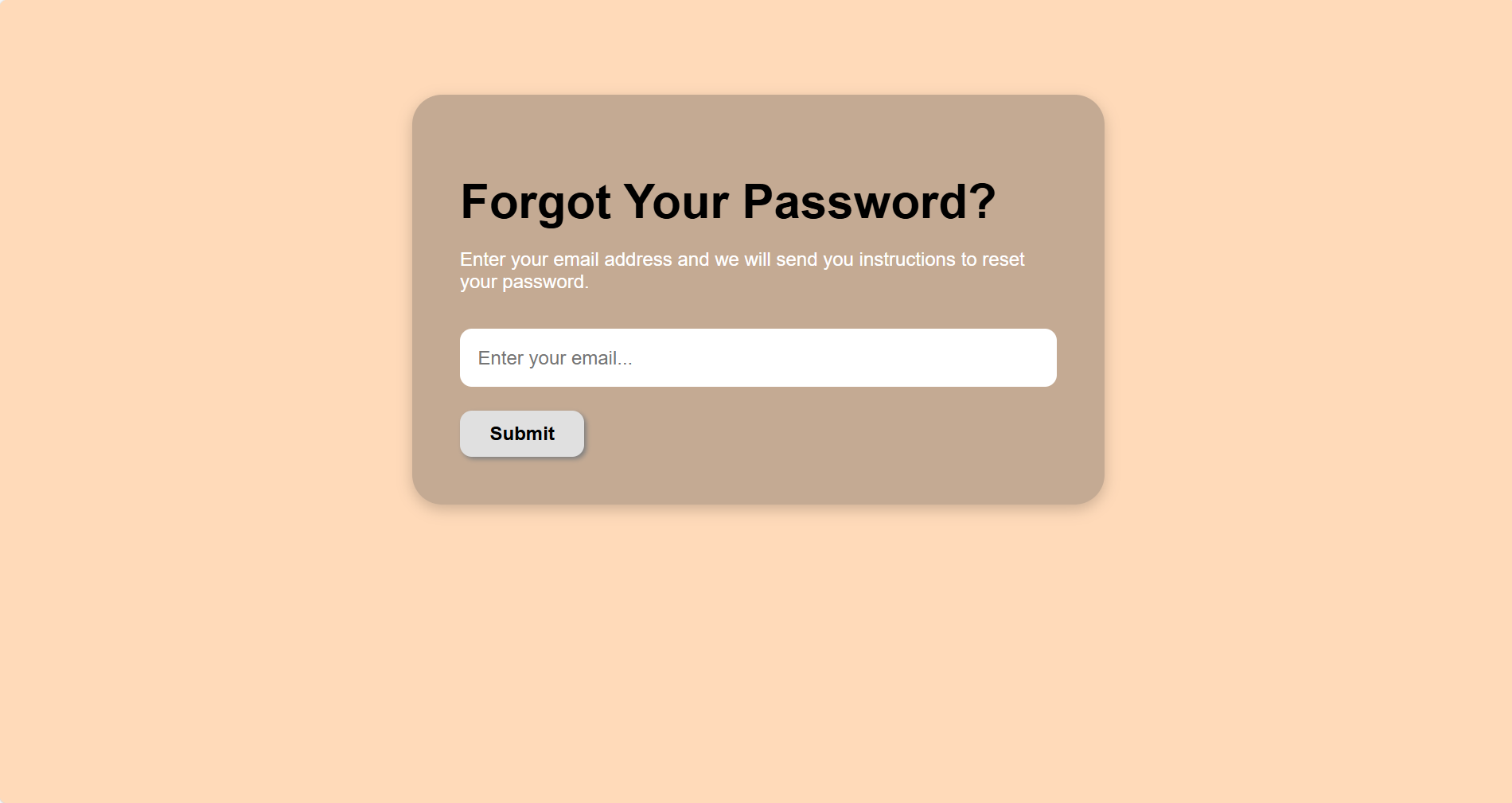
reset_requested()
Route: /reset_requested
Methods: GET
Purpose:
Displays confirmation that a reset email has been sent (regardless of whether user was found, for security).
Sample output:
Renders reset_requested.html. 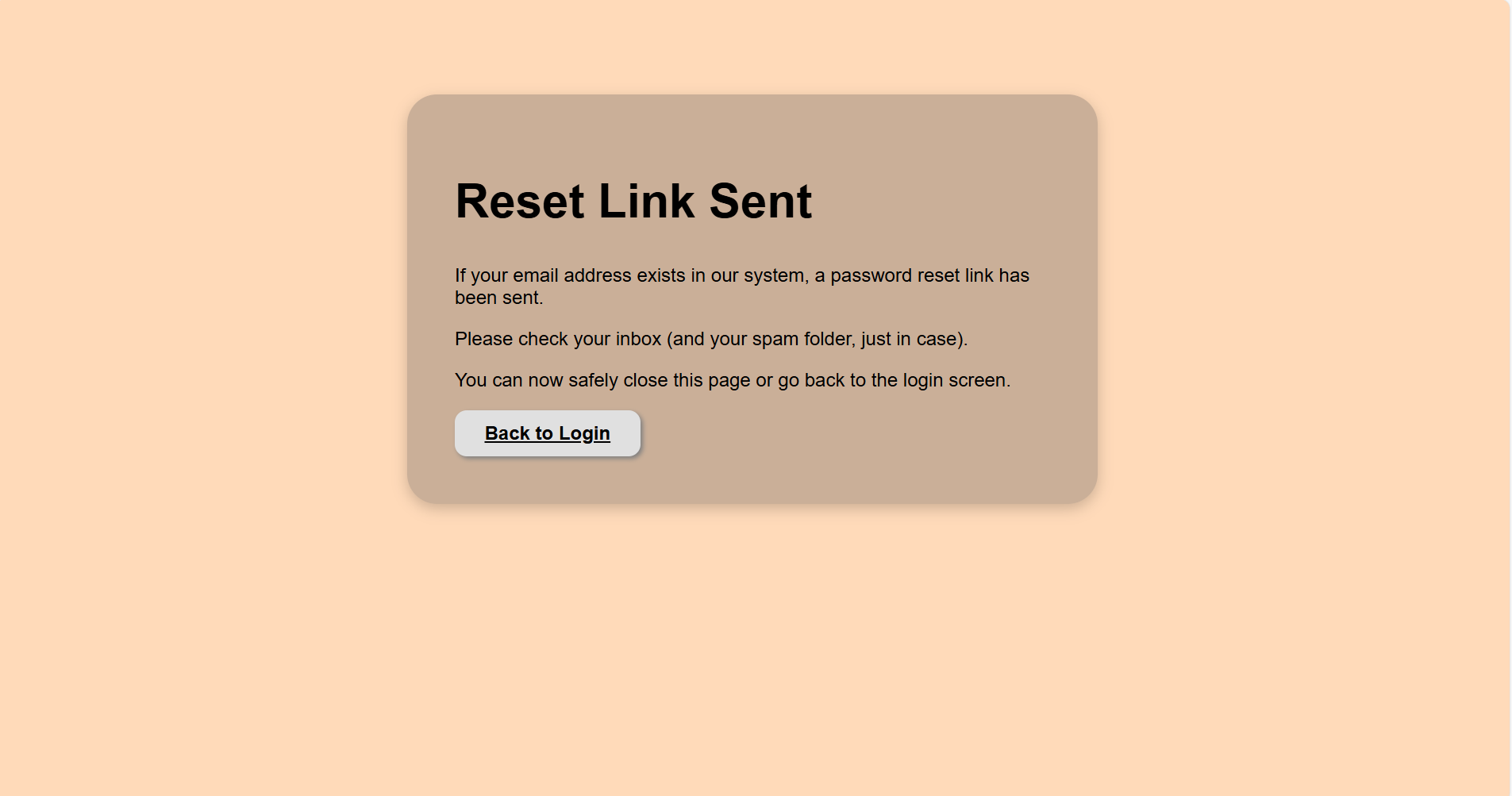
reset_token(token)
Route: /reset_password/<token>
Methods: GET, POST
Purpose:
GET: Validates the token and renders the form to input a new password.POST: Updates the password for the user tied to the token and redirects to login.
Token logic:
Uses itsdangerous.URLSafeTimedSerializer with a 1-hour expiration.
If expired or invalid, redirects to reset request page with flash message.
Sample output:
Renders reset_token.html or redirects to /login.
send_reset_email(to_email, link)
Called internally by: reset_request()
Purpose:
Sends a password reset email via SendGrid with an expiring tokenized link.
Includes fallback logging if email fails.
Email content:
- Custom subject and HTML body
- Expiration message
- Instruction to ignore if not requested
Access Control Hook
require_login()
Hook: @app.before_request
Purpose:
Ensures the user is authenticated for all routes except explicitly whitelisted ones like:
auth.login,auth.signup,auth.confirm_email,reset_password, etc.- Static files and
/insert/sample - Telegram API:
/api/reminders/today
If a user is not authenticated, they are redirected to the landing page (/).
Auth
signup()
Route: /signup
Methods: GET, POST
Purpose:
GET: Displays the registration form.POST: Registers a new user if the form is valid and the email doesn’t already exist.
Instead of logging the user in immediately, a confirmation email is sent with a secure token.
Email confirmation logic:
- Uses
itsdangerous.URLSafeTimedSerializerto generate a token with a 24h expiry. - Sends confirmation email using SendGrid.
Sample output:
Renders signup.html on GET; redirects to /signup_requested after successful form submission. .png)
signup_requested()
Route: /signup_requested
Methods: GET
Purpose:
Displays a success screen that instructs the user to check their inbox for a confirmation email.
Sample output:
Renders signup_requested.html. .png)
login()
Route: /login
Methods: GET, POST
Purpose:
GET: Displays login form.POST: Authenticates the user if credentials are valid and email is confirmed.
Unconfirmed users are shown a flash message to confirm their email first.
Sample output:
Renders login.html; redirects to /dashboard on successful login. .png)
confirm_email(token)
Route: /confirm/<token>
Methods: GET
Purpose:
Validates the email confirmation token and activates the user account if valid.
- Logs the user in automatically
- Handles expired or invalid tokens gracefully with user feedback
Sample output:
Redirects to /dashboard?show_guide=true with flash message after confirmation.
send_confirmation_email(to_email, link)
Called internally by: signup()
Purpose:
Sends an HTML email via SendGrid with a secure confirmation link that expires in 24h.
- Handles fallbacks if email sending fails
- The email content includes branding and a fallback message
Apartments (CRUD Functionality)
list_apartments()
Route: /apartments
Methods: GET, POST
Purpose:
Displays a list of all apartments belonging to the logged-in user.
Redirects to the apartment creation screen when the user clicks the “Add Apartment” button (POST request).
Sample output:
Renders apartments/apartments.html template with a table of apartments. .png)
create_apartment()
Route: /apartments/create
Methods: GET, POST
Purpose:
GET: Displays a form to add a new apartment.POST: Saves the new apartment (name and address) to the database and redirects to the apartment list.
Sample output:
Renders create_apartment.html on GET; redirects with flash message on POST. .png)
edit_apartment(id)
Route: /apartments/edit/<int:id>
Methods: GET, POST
Purpose:
GET: Displays the edit form pre-filled with the apartment’s current data.POST: Updates the apartment record in the database for the logged-in user.
Sample output:
Renders edit_apartment.html with current apartment data; on success, redirects with flash message. .png)
delete_apartment(id)
Route: /apartments/delete/<int:id>
Methods: GET, POST
Purpose:
GET: Displays a confirmation form to delete the apartment.POST: Deletes the apartment from the database after user confirmation.
Sample output:
Renders delete_apartment.html with a WTForm and apartment info; on success, redirects with flash message. .png)
Tenants (CRUD Functionality + Document Uploading/View)
list_tenants()
Route: /tenants
Methods: GET, POST
Purpose:
Displays a list of all tenants belonging to the logged-in user.
Redirects to the tenant creation form when the “Add Tenant” button is clicked (POST request).
Sample output:
Renders tenants/tenants.html with a table of tenants. .png)
create_tenant()
Route: /tenant/create
Methods: GET, POST
Purpose:
GET: Renders a form to add a new tenant, optionally with an uploaded document.POST: Saves tenant information and the uploaded file (if any) to the database.
Sample output:
Renders create_tenant.html on GET; redirects with flash message on POST. .png)
edit_tenant(id)
Route: /tenant/edit/<int:id>
Methods: GET, POST
Purpose:
GET: Displays a form pre-filled with the tenant’s existing data.POST: Updates tenant data and replaces the document file if a new one is uploaded.
Sample output:
Renders edit_tenant.html; redirects with flash message on update. .png)
delete_tenant(id)
Route: /tenant/delete/<int:id>
Methods: GET, POST
Purpose:
GET: Displays a confirmation form to delete a tenant.POST: Deletes the tenant record from the database after confirmation.
Sample output:
Renders delete_tenant.html; redirects on success with flash message. .png)
download_document(filename)
Route: /tenant/download/<filename>
Methods: GET
Purpose:
Downloads a previously uploaded document (e.g., ID or contract) belonging to one of the user’s tenants.
Sample output:
Triggers file download via send_from_directory.
view_document(filename)
Route: /tenant/view/<filename>
Methods: GET
Purpose:
Displays the uploaded document in the browser (e.g., PDF or image) without forcing download.
Sample output:
Opens the document directly in the browser using send_from_directory.
Rent Payments (CRUD Functionality)
list_rent_payments()
Route: /rent_payments
Methods: GET, POST
Purpose:
Displays a list of all rent payments for the logged-in user.
Supports filtering by apartment, tenant, and month via query parameters.
Redirects to the creation form on POST request.
Sample output:
Renders rent_payments/rent_payments.html with payment entries and filter dropdowns. .png)
create_rent_payment()
Route: /rent_payments/create
Methods: GET, POST
Purpose:
GET: Displays a form to create rent payments for selected apartments and months.POST: Inserts new rent payment records into the database, skipping duplicates.
Sample output:
Renders create_rent_payment.html on GET; redirects with flash messages on POST indicating success or duplicates. .png)
edit_rent_payment(id)
Route: /rent_payments/edit/<int:id>
Methods: GET, POST
Purpose:
GET: Loads a rent payment and shows a form to edit the month.POST: Updates the payment month, with a duplicate check to prevent overlapping entries.
Sample output:
Renders edit_rent_payment.html with prefilled data; redirects with flash message on success or validation warning.
delete_rent_payment(id)
Route: /rent_payments/delete/<int:id>
Methods: GET, POST
Purpose:
GET: Displays confirmation page with payment details (apartment, tenant).POST: Deletes the rent payment after confirmation.
Sample output:
Renders delete_rent_payment.html; on confirmation, redirects with a flash message.
Rental Agreements (CRUD Functionality)
list_rental_agreements()
Route: /rental_agreements
Methods: GET, POST
Purpose:
Displays all rental agreements belonging to the logged-in user, including apartment and tenant names.
Redirects to the creation form on POST.
Sample output:
Renders rental_agreements/rental_agreements.html with a table of agreements. .png)
create_rental_agreement()
Route: /rental_agreements/create
Methods: GET, POST
Purpose:
GET: Displays a form to create a new rental agreement. Only apartments with no active agreement (end_date IS NULL) are selectable.POST: Saves the new agreement with start/end dates, tenant, and rent amount.
Sample output:
Renders create_rental_agreement.html; redirects with a success message on POST. .png)
edit_rental_agreement(id)
Route: /rental_agreements/edit/<int:id>
Methods: GET, POST
Purpose:
GET: Loads the rental agreement for editing and shows dropdowns for available tenants.POST: Updates the agreement details (dates, tenant, rent amount) in the database.
Sample output:
Renders edit_rental_agreement.html; redirects with a flash message on success.
delete_rental_agreement(id)
Route: /rental_agreements/delete/<int:id>
Methods: GET, POST
Purpose:
GET: Shows a confirmation page with apartment and tenant information.POST: Deletes the rental agreement after user confirmation.
Sample output:
Renders delete_rental_agreement.html; redirects with a flash message after deletion. .png)
Dashboard
index()
Route: /dashboard
Methods: GET, POST
Purpose:
Displays the dashboard view for the logged-in user with key rental insights and financial projections.
The dashboard dynamically adjusts its content based on user status:
-
New Users:
If the user has no apartments or active agreements, a simplified view is rendered with welcome messages and prompts to add properties and tenants. -
Active Users:
Displays full dashboard with:- List of unpaid or upcoming rent obligations (up to 1 month ahead)
- Cashflow projections (expected vs. collected income over 6 months)
- Total number of apartments
- Number of active rental agreements
Includes helper logic:
get_upcoming_unpaid_rents()checks for due rents in the past/current/next month.format_amount()ensures currency formatting (e.g. 100.00 → 100).
Sample output:
Renders dashboard/dashboard.html with variables:
projection: list of months with expected/collected/missing renttotal_apartments: countactive_agreements: countupcoming_unpaid: list of unpaid months per tenant
.png)
.png)
.png)
Settings
settings()
Route: /settings
Methods: GET, POST
Purpose:
Displays the current user’s notification settings, including:
- Day of the month to send reminders
- Whether reminders are enabled
- Whether to use Telegram and/or Email
Also shows a confirmation alert if ?settings_saved=true is passed.
Sample output:
Renders settings/settings.html with settings pre-filled. .png)
.png)
update_reminder_settings()
Route: /settings/update_reminders
Methods: POST
Purpose:
Saves the user’s updated reminder settings to the database, including:
- Preferred reminder day
- Whether reminders are enabled
- Channel preferences (Telegram and/or Email)
Redirects back to /settings?settings_saved=true on success.
Sample output:
No render; redirects with flash query string.
connect_telegram()
Route: /connect_telegram
Methods: GET
Purpose:
Generates a one-time-use Telegram connection link with a unique UUID token.
Stores the token in the user’s record and constructs a personalized t.me deep link for Telegram bot onboarding.
Bot name: @RentTracker_bot
Example link generated:
https://t.me/RentTracker_bot?start=some-uuid-token
Sample output:
Renders connect_telegram.html with a Telegram button/link.
API
get_reminders_for_telegram_bot()
Route: /api/reminders/today
Methods: GET
Authentication: Token-based (via telegram_token in query string)
Access Control: Public (used by Telegram bot with UUID token)
Purpose:
Returns a list of upcoming unpaid rent reminders for a specific user, identified by their one-time-use Telegram token.
Used by the Rent Tracker Telegram Bot (@RentTracker_bot) to deliver personalized reminder messages via chat.
Query Parameters:
token(required): a UUID token stored in the user’s database record
Response Format: application/json
Success (200):
{
  "status": "success",
  "reminder_count": 2,
  "data": [
    {
      "apartment_name": "Greenview A1",
      "tenant_name": "Elena Popescu",
      "months": ["2025-06", "2025-07"],
      "monthly_rent": 500.0,
      "month_count": 2,
      "total_due": 1000.0
    },
    {
      "apartment_name": "Sunset Loft",
      "tenant_name": "Ivan Bondar",
      "months": ["2025-07"],
      "monthly_rent": 700.0,
      "month_count": 1,
      "total_due": 700.0
    }
  ]
}
Error (401):
{
  "status": "error",
  "message": "Missing token"
}
Error (403):
{
  "status": "error",
  "message": "Invalid token"
}
Notes
- Months are returned in YYYY-MM format.
- total_due is calculated as monthly_rent × month_count.
- This endpoint is read-only and stateless.
Last build: 20 Jul 2025, 00:44+00:00