Team Room of Horror
Design Documentation
Table of contents
Design approach
Room of Horror 2.0 did not start on a blank canvas: the visual identity (logo, dark horror-themed palette, grid pattern) and the base UI were inherited from version 1.0. The original design source file is part of the repository: room-of-horror-assets/design.xd (Adobe XD), together with logos, title graphics, and UI icons in room-of-horror-assets/.
Our 2.0 design work concentrated on the surfaces that new features required:
| Area | What was designed | Where it lives |
|---|---|---|
| Patient selection | Patient cards with avatar, key data, and per-patient accent color; targeted vs. random selection with preview | src/components/PatientSelection.tsx, avatars/cards in src/assets/patients/ |
| Error configuration | Icon-based error grid, filtered to the selected patient’s allowed errors | src/components/GameInterface.tsx, icons in src/assets/error_symbols/ |
| Live game view | Progress bar, heart/health bar, found-error markers, game-end banner | RunningGameInterface.tsx, HeartBar.tsx, GameEndBanner.tsx |
| Evaluation report | Score overview, category breakdown, critical-mistakes section, trainer feedback | src/components/results/* |
| Accessibility | Color-vision mode switcher (5 modes) affecting the whole UI via CSS variables | ColorVisionControl.tsx, src/styles/colors.css |
| VR UI | Lobby (game code), tutorial screen, in-game HUD, interactive patient file (clipboard) | Unity scene + PatientFileUI.cs, InGameHudController.cs |
Design principles
- Diversity-first: every patient gets an individual accent color, avatar, and card — no “default patient” visual.
- Recognition over recall: errors are selected via pictograms (
error_symbols/), matching what trainees will see in the room. - Instructor-friendly: the dashboard is operable during a running VR session — large status indicators, live updates without page reloads.
- Accessible by default: color-vision modes apply globally; interactive controls carry ARIA roles/labels (see
ColorVisionControl.tsx).
Screenshots — web frontend
Onboarding and session setup
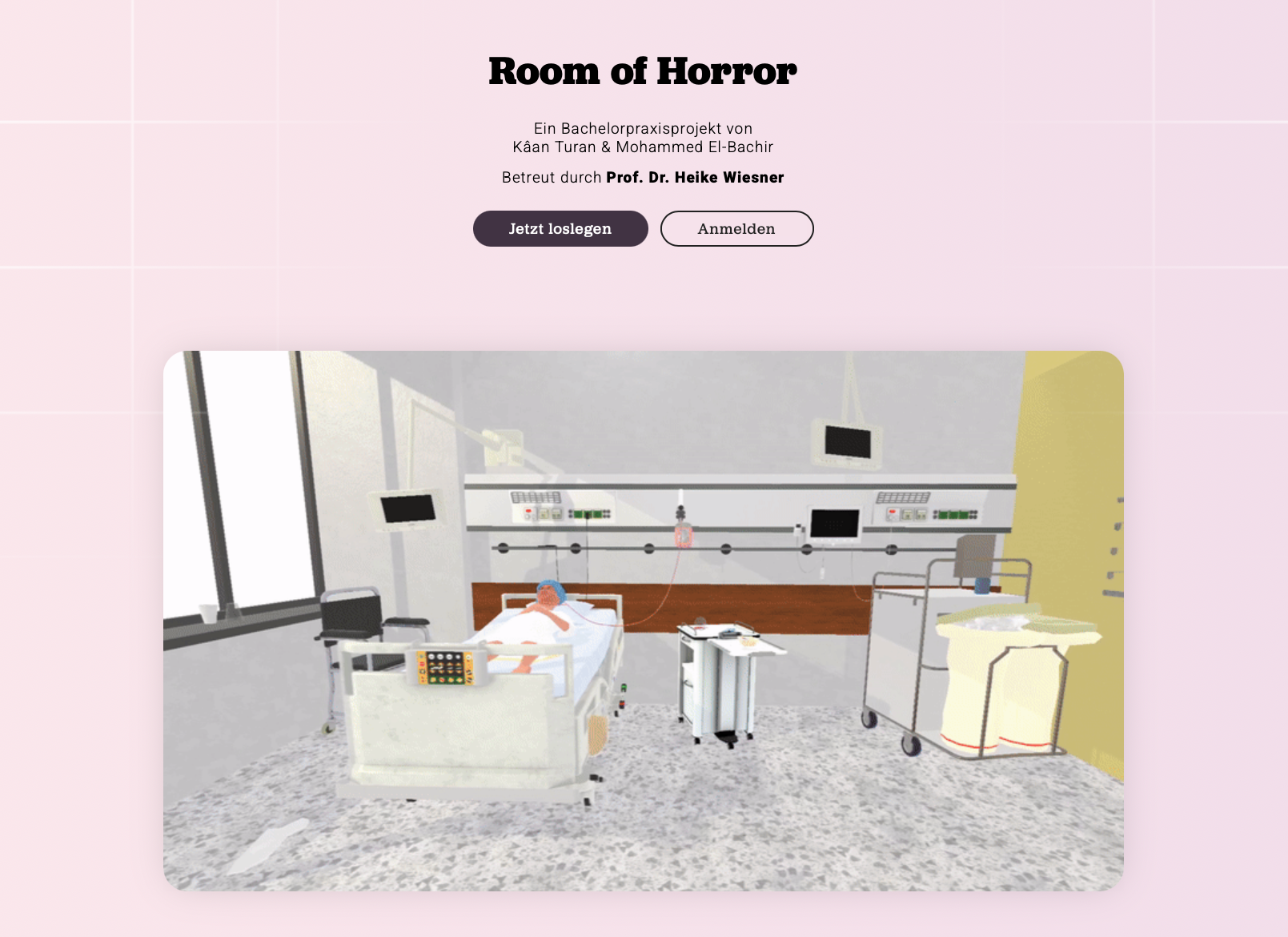
Landing page — entry point with onboarding:
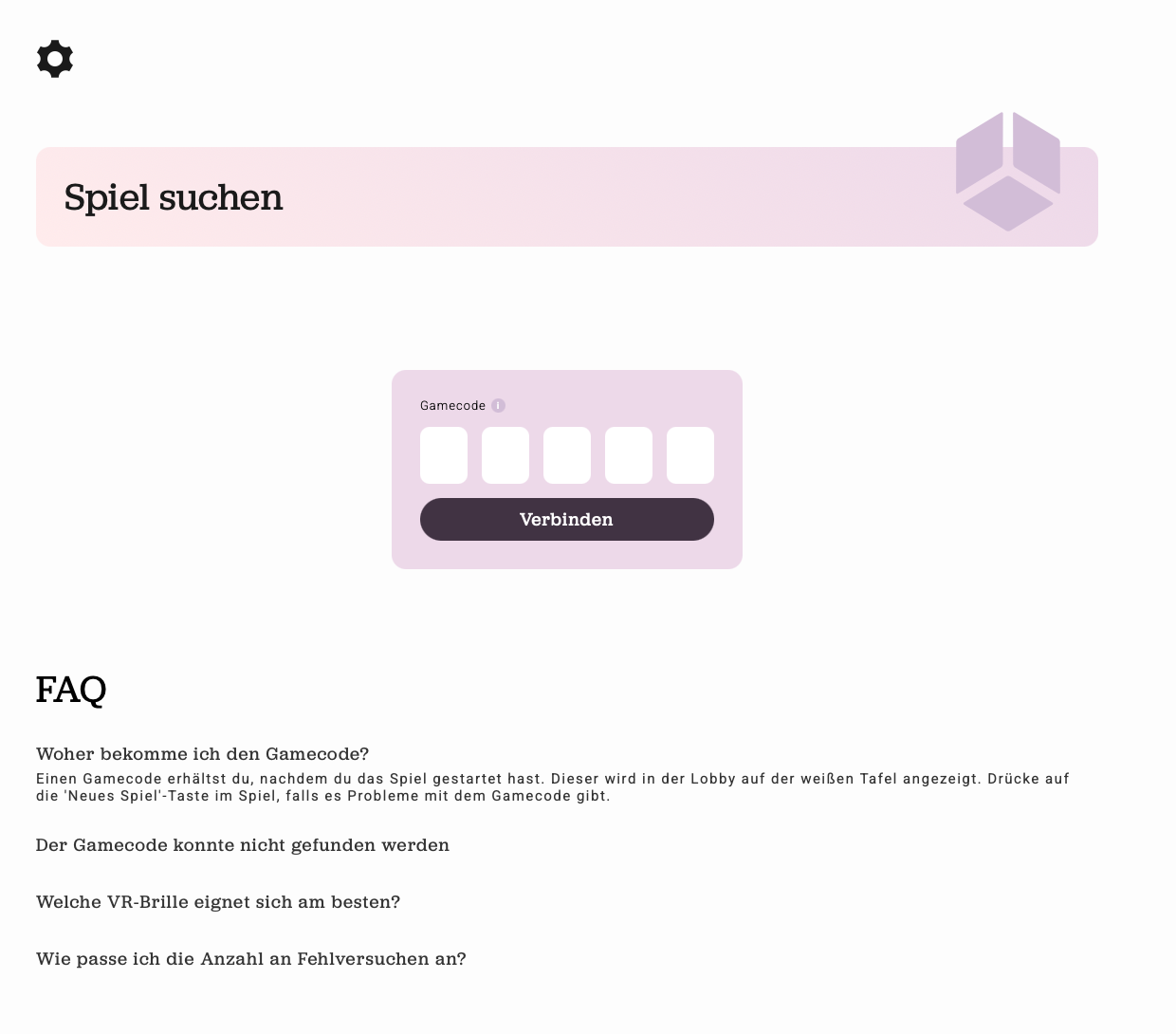
Game-code entry — the instructor connects to the game shown in the VR lobby:
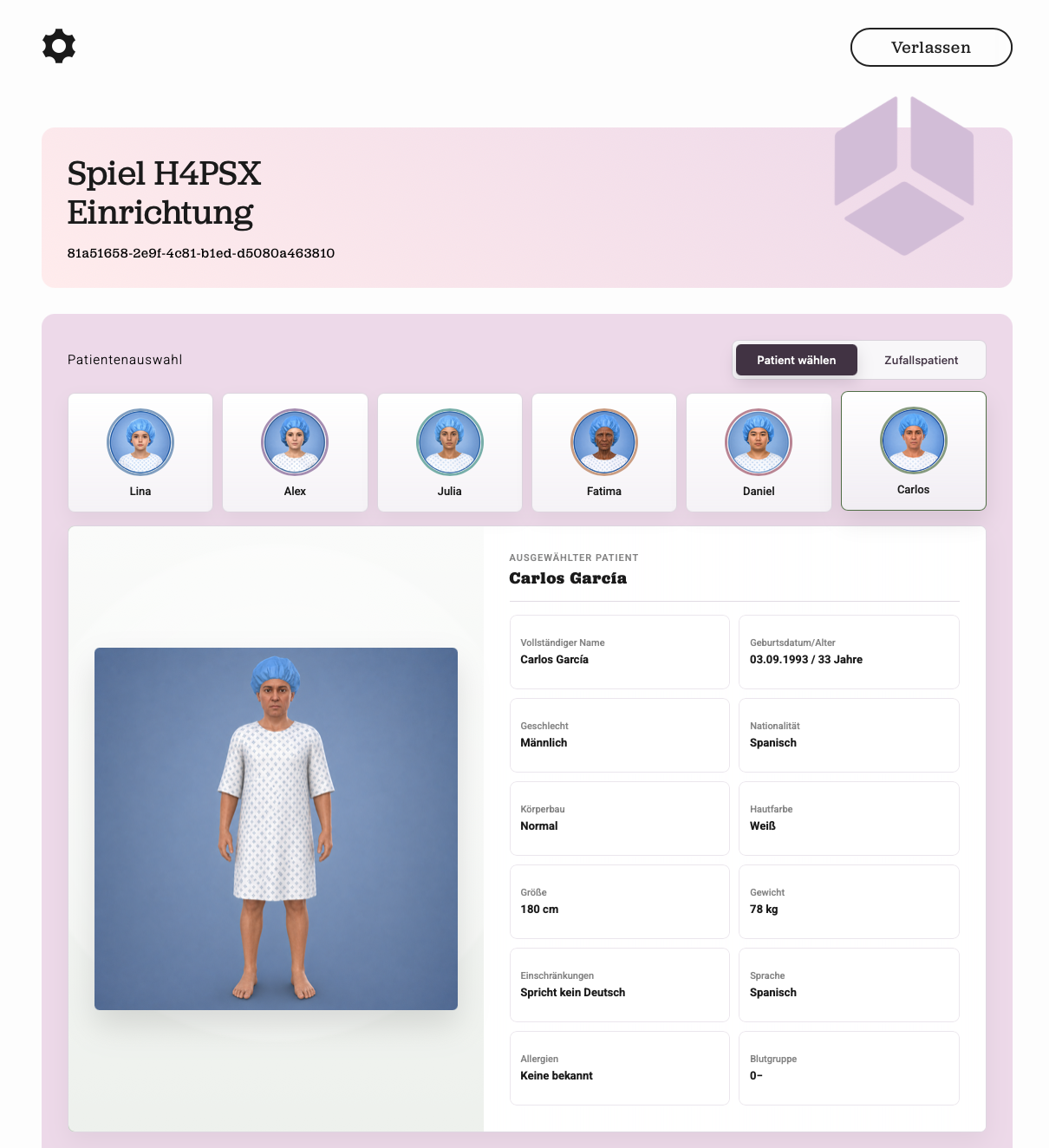
Patient selection — all six patient profiles as cards with avatars; the selected patient (here: Carlos García, patient F) is shown with full-body preview and master data (age, gender, nationality, body type, skin color, height, weight, limitations, language, allergies, blood group):
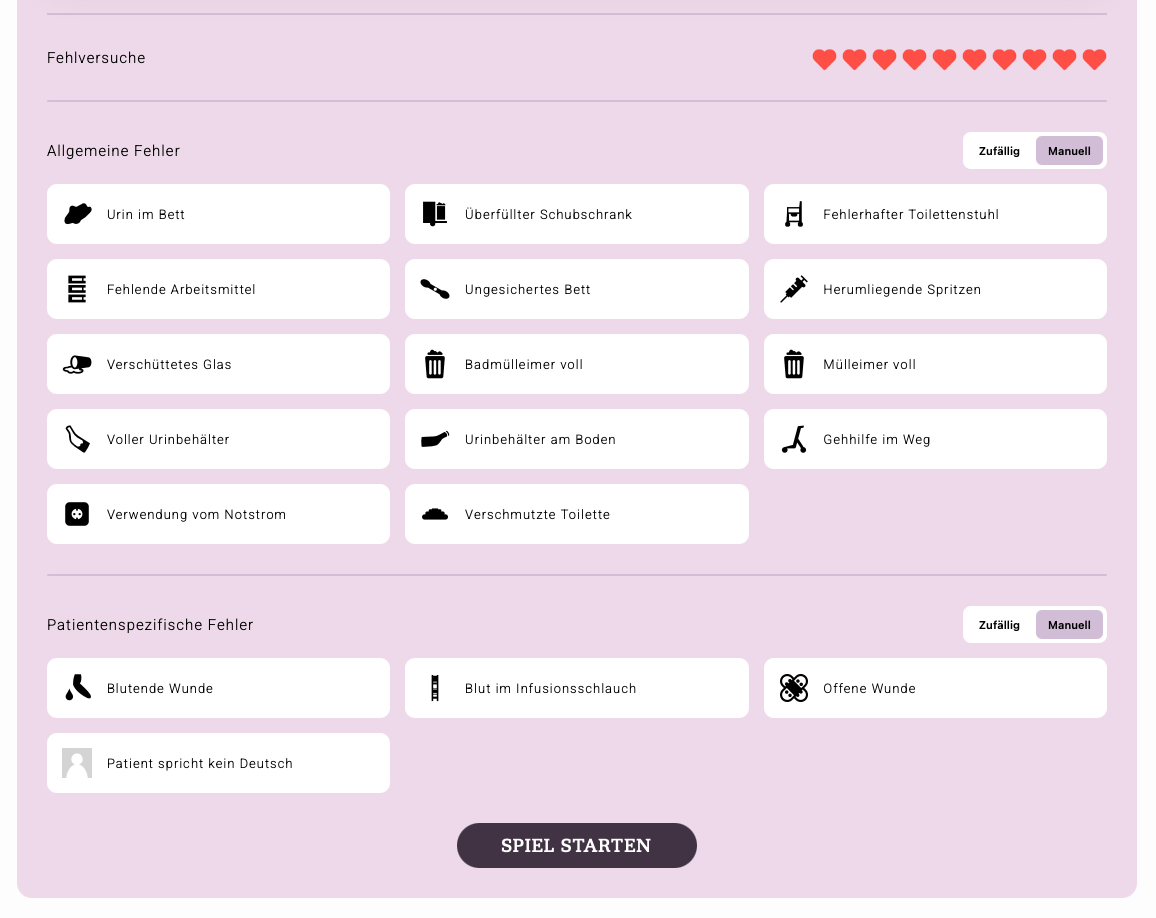
Error configuration — mistake attempts (heart budget), general room errors, and the patient-specific errors for the chosen profile; both groups can be picked manually or randomized (“Zufällig”/”Manuell” toggles):
Live session
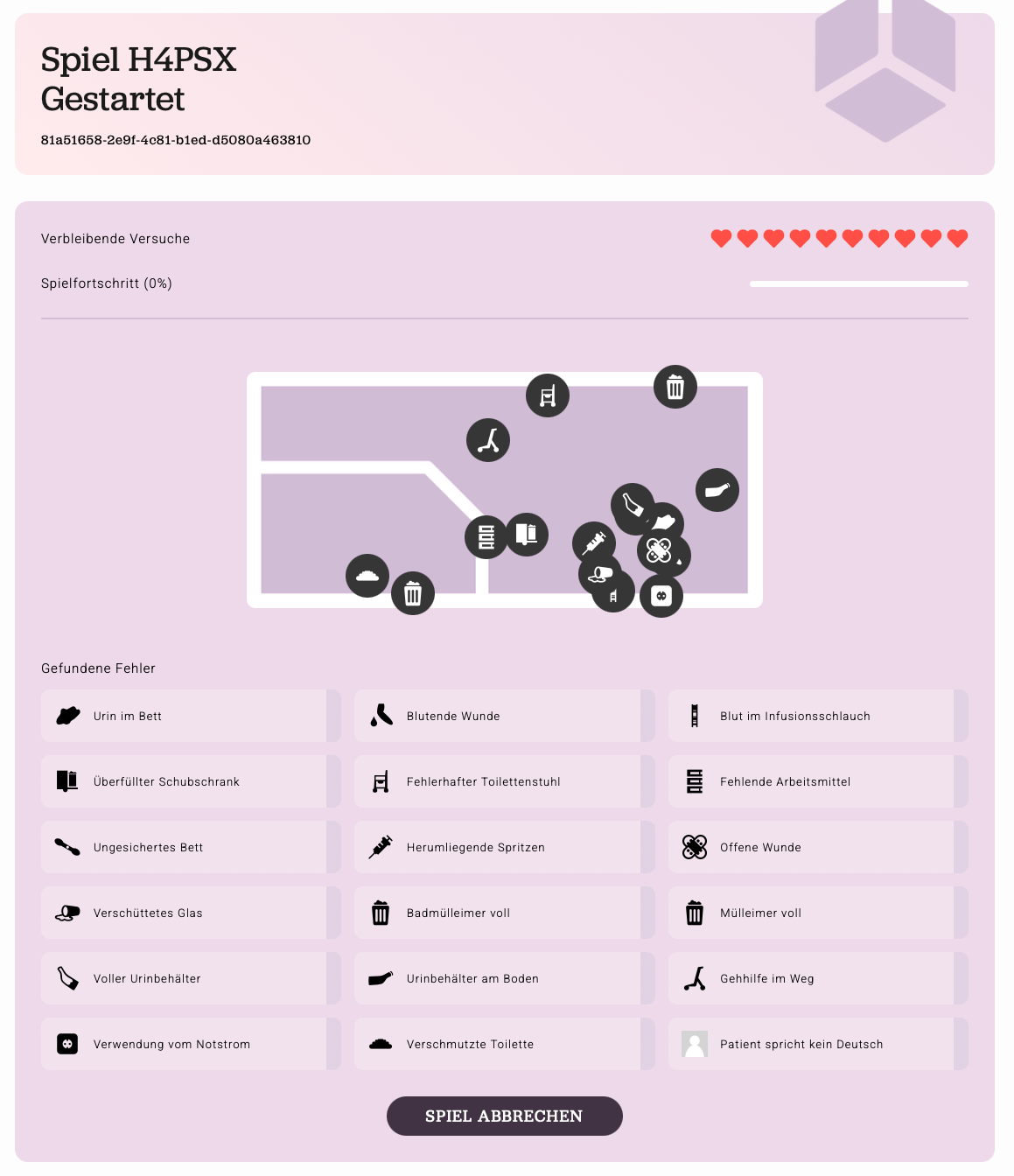
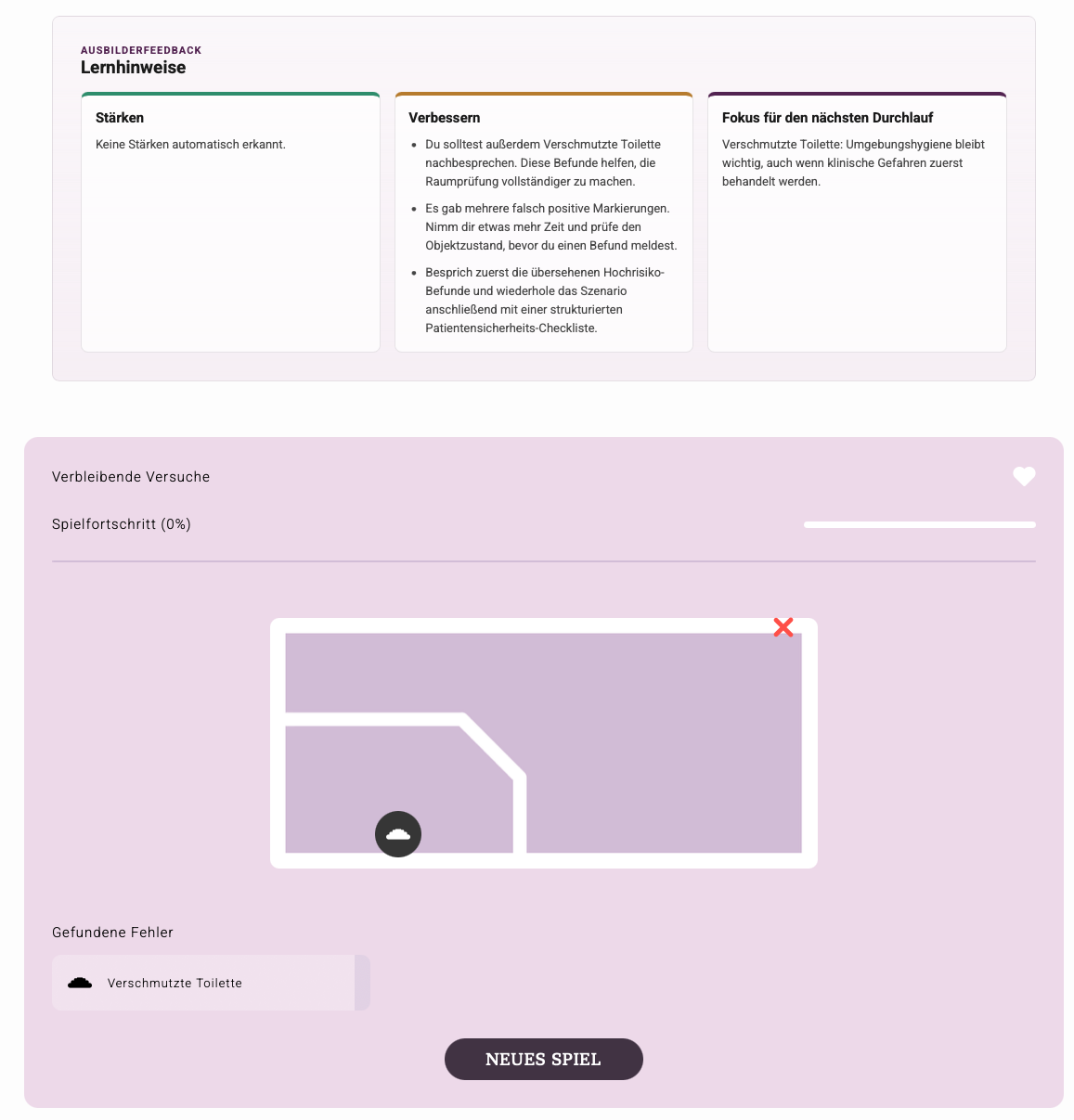
Running game with live progress — room map, found errors, remaining attempts, and progress update in real time via WebSockets:
Evaluation report
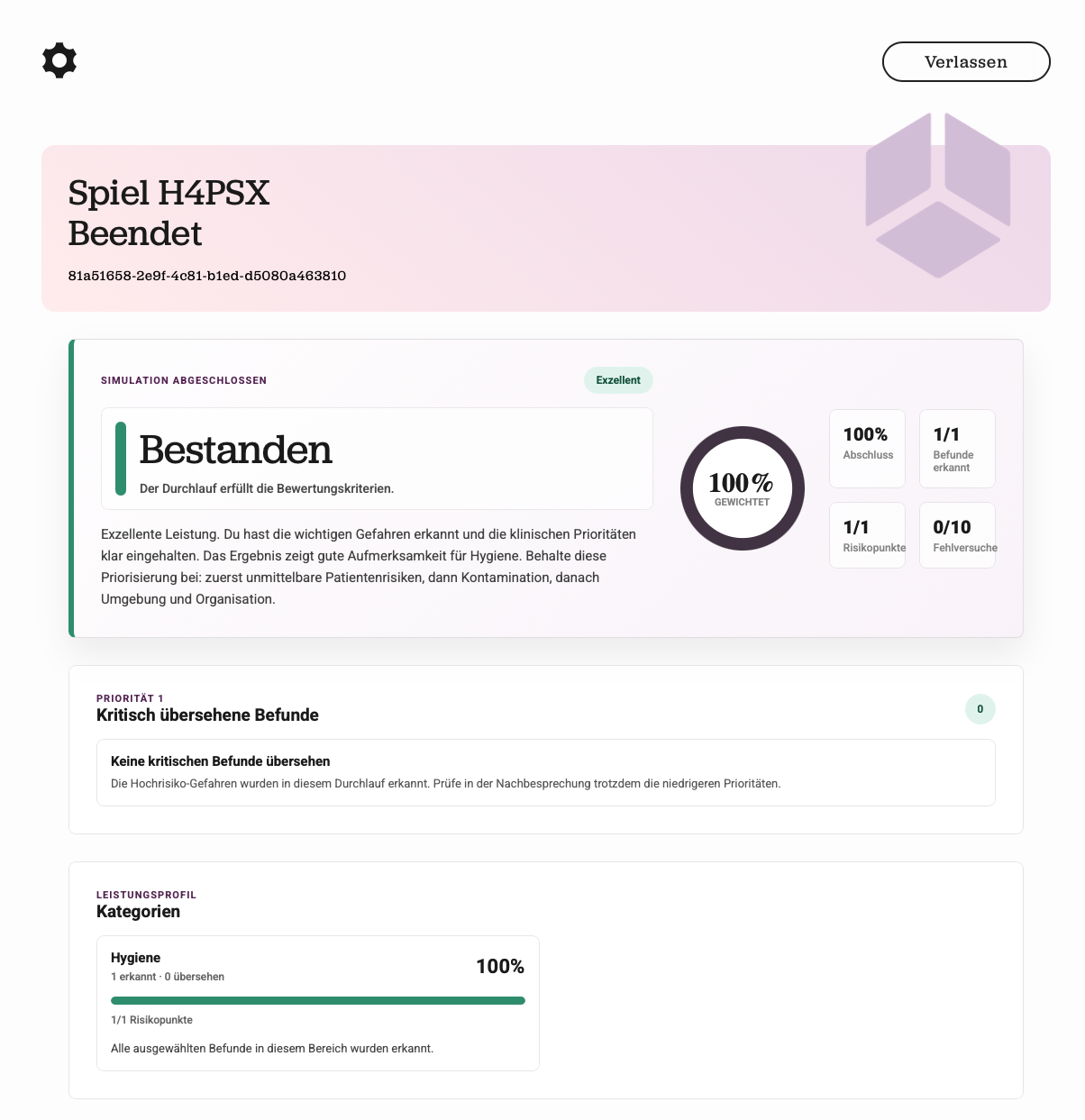
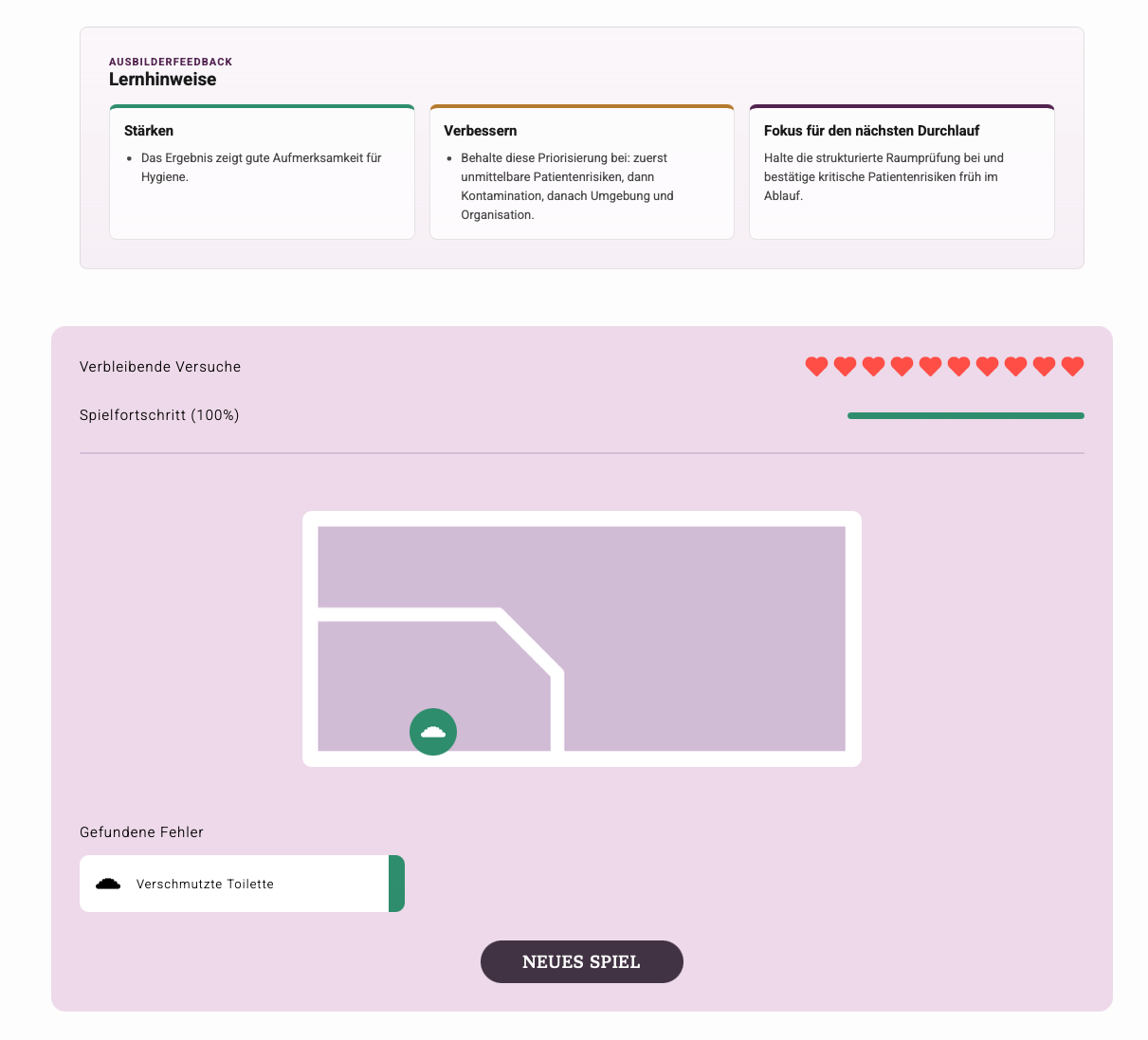
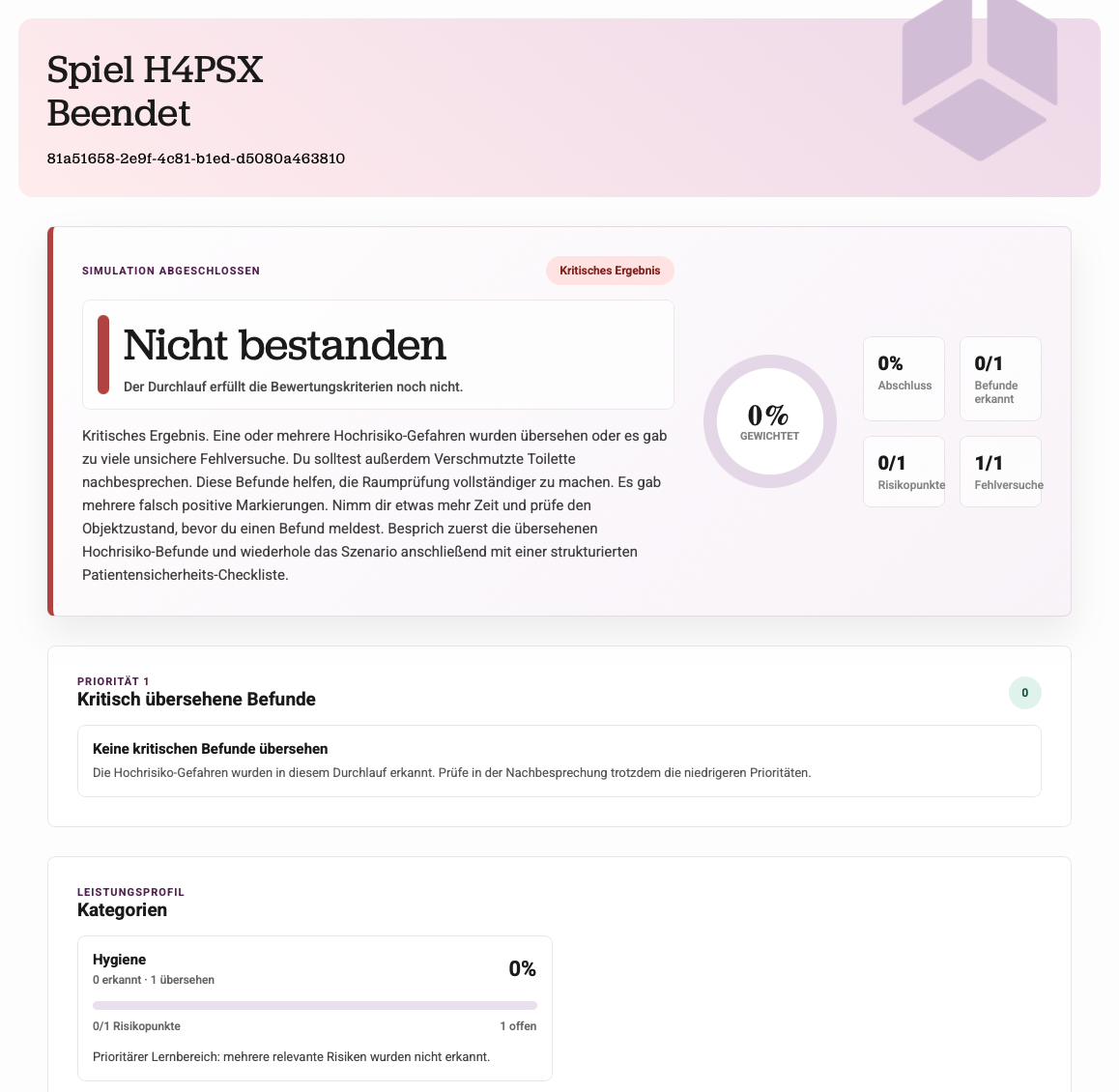
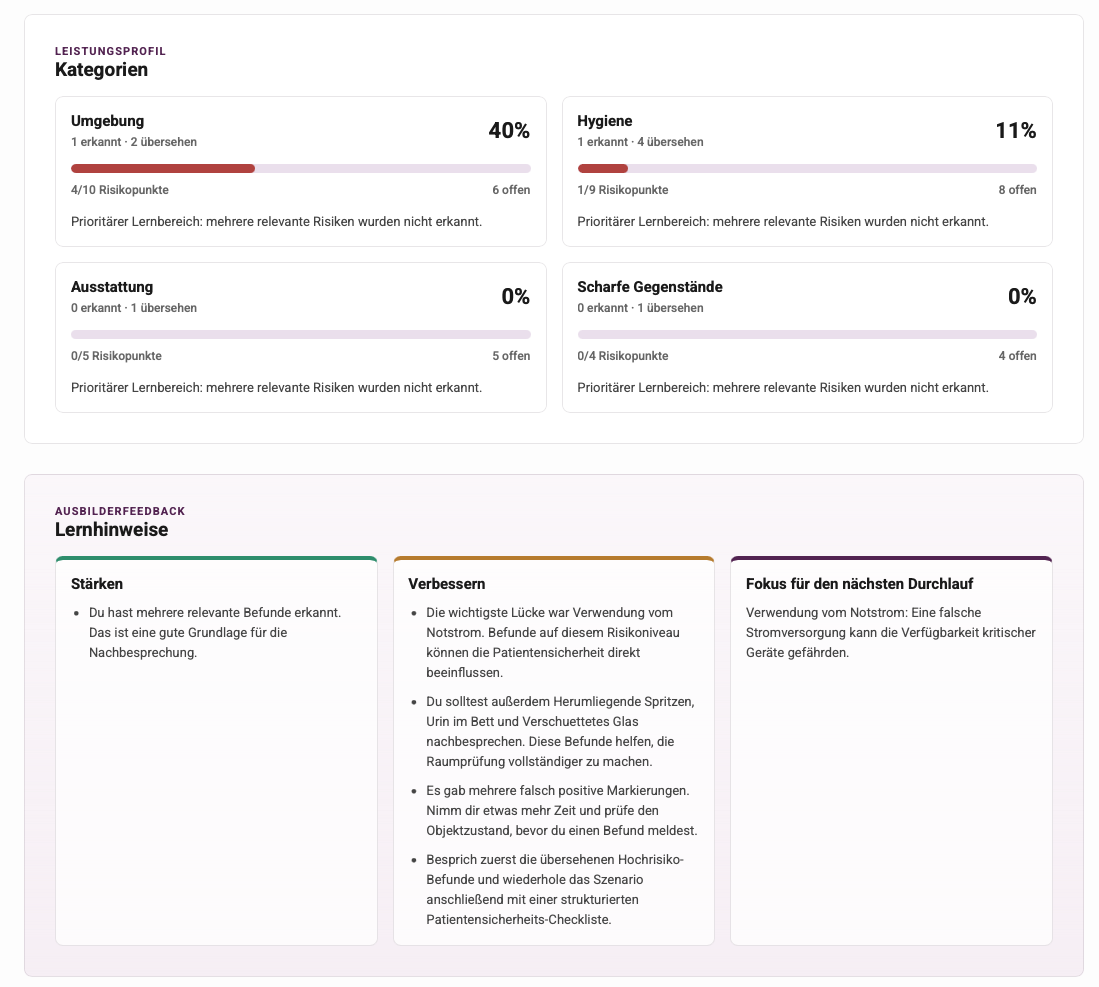
The report after a finished round consists of a weighted score summary, the prioritized list of critically missed findings, a per-category performance profile, generated trainer feedback (“Lernhinweise”), and the final room map.
Passed run — score summary and category profile, with strengths and next-focus feedback:
Failed run (“Nicht bestanden / Kritisches Ergebnis”) — the fail logic in action: missed critical findings dominate the verdict regardless of percentage:

Accessibility
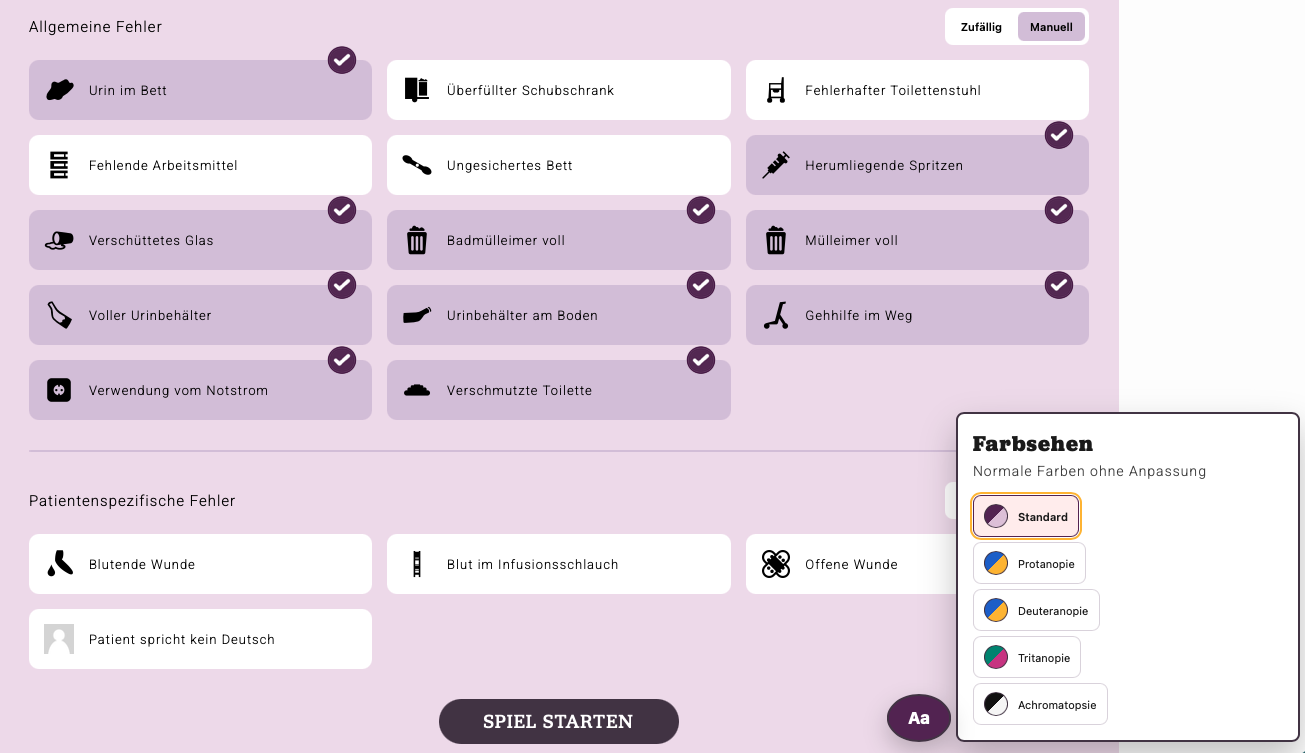
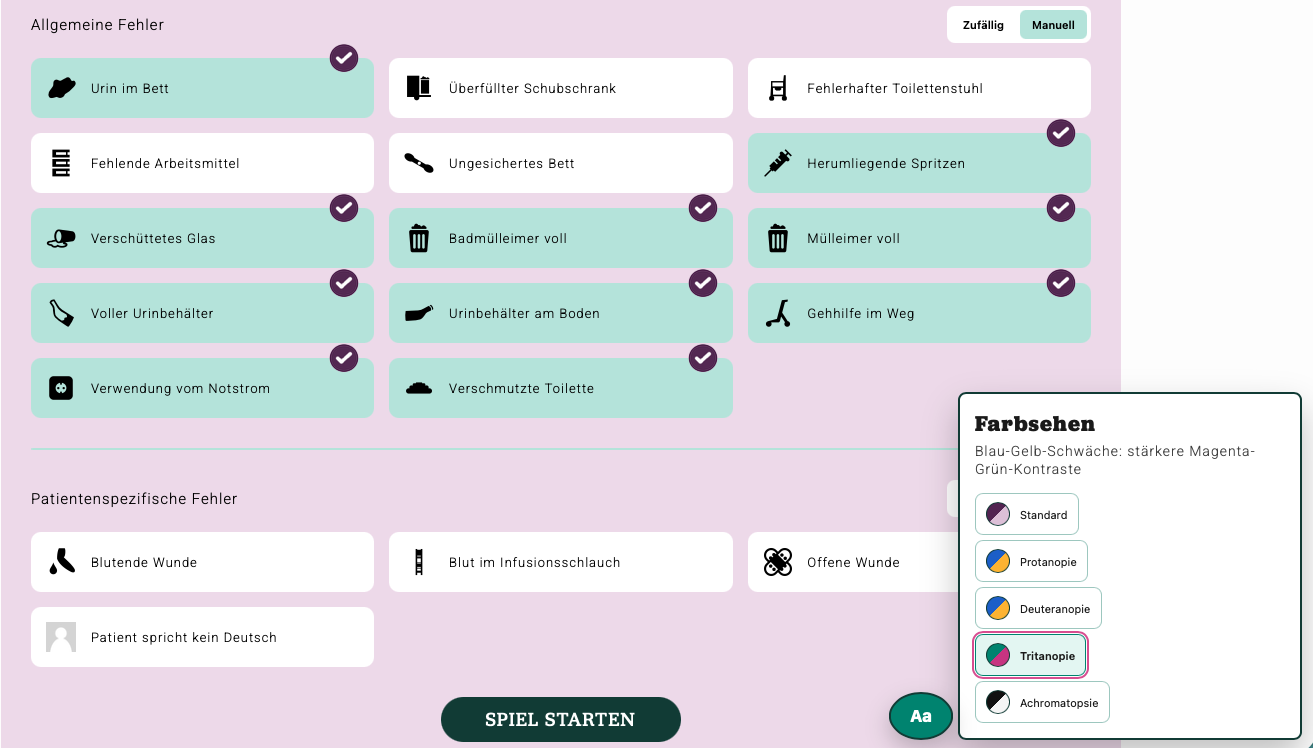
Color-vision control — the global switcher offers Standard, Protanopie, Deuteranopie, Tritanopie, and Achromatopsie; the second shot shows the UI with the tritanopia palette applied:
Screenshots — VR application
Lobby and room
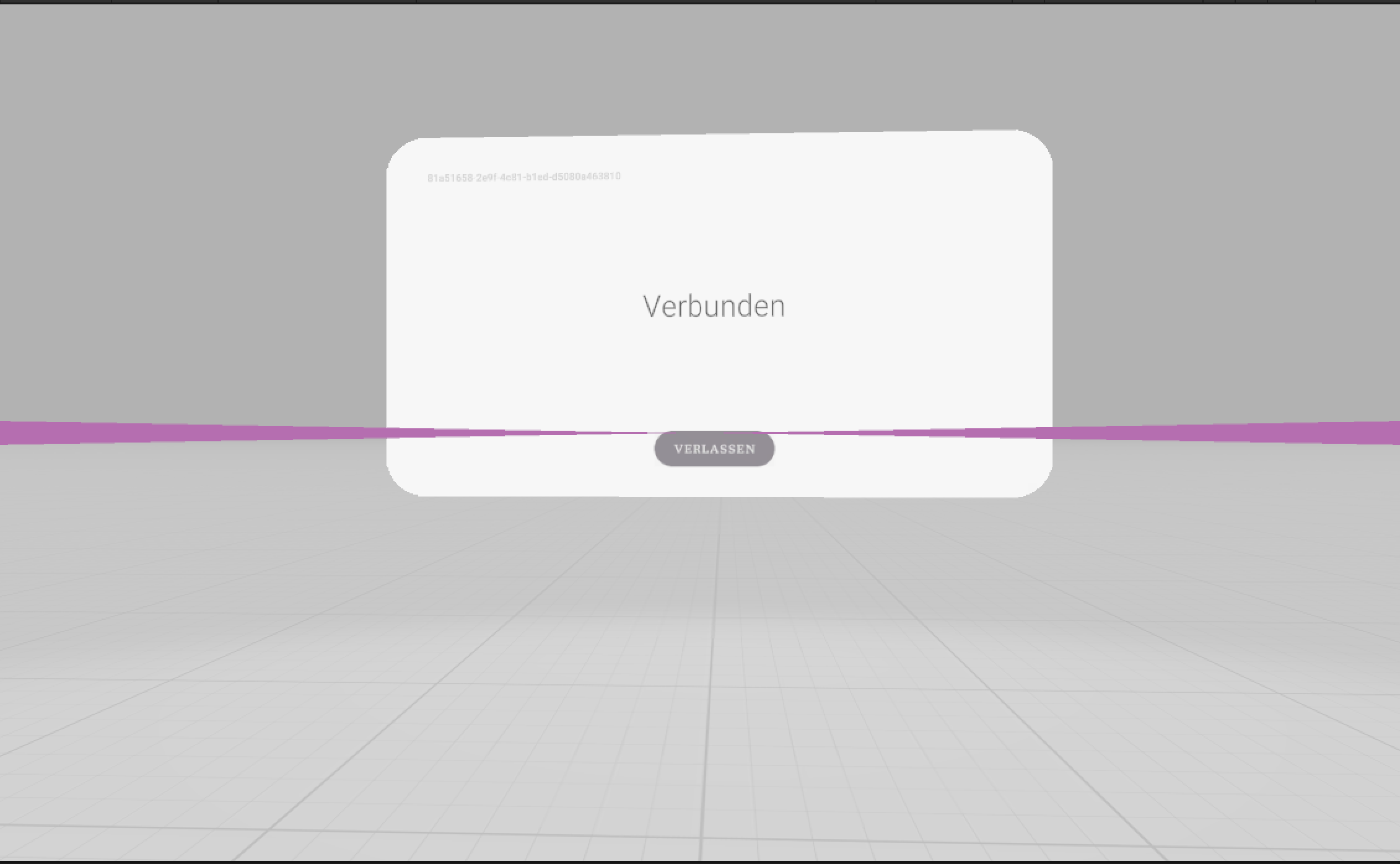
Lobby — the headset shows the game code the instructor enters in the dashboard:
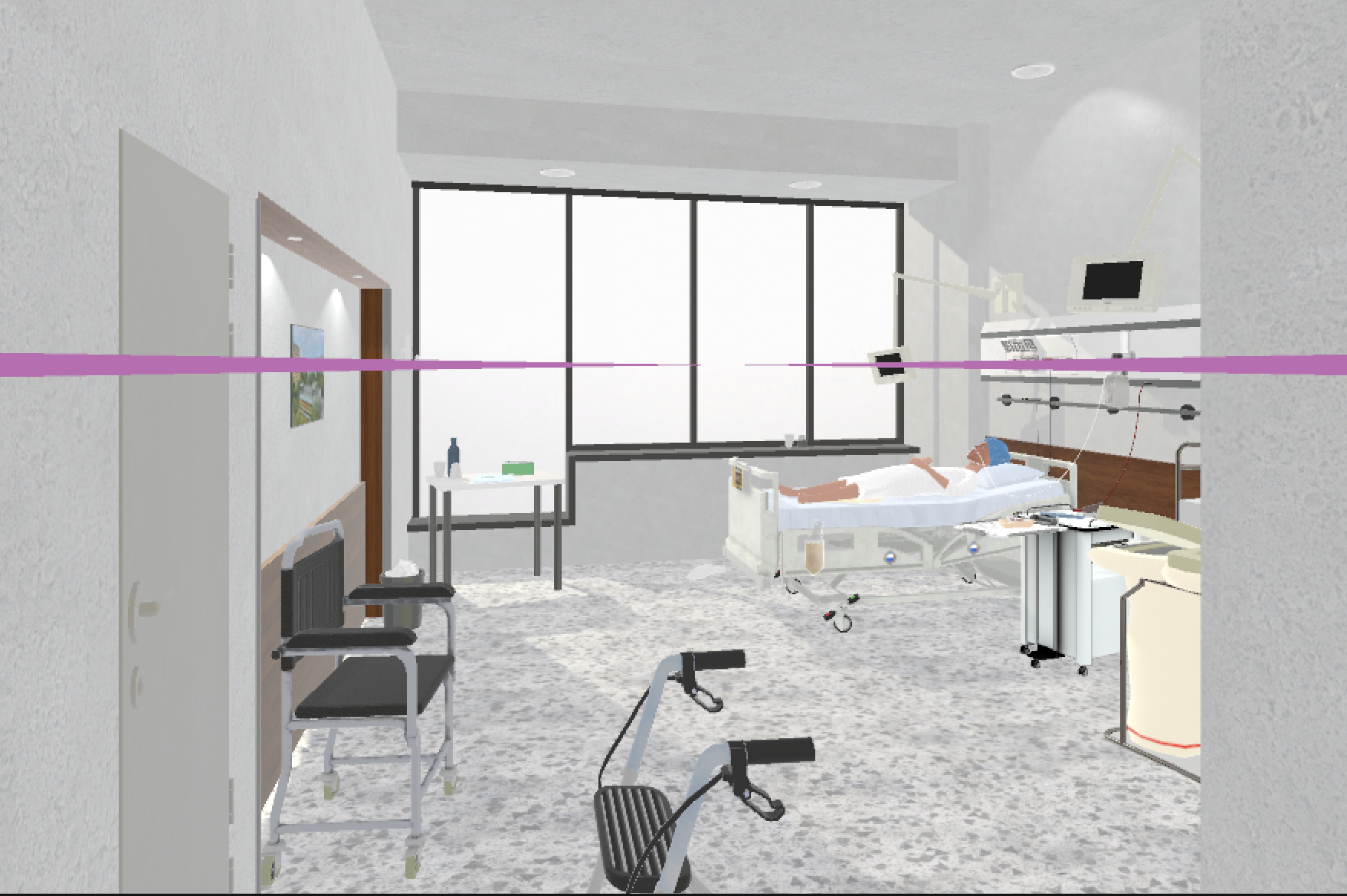
Patient room — the playable hospital room during a running session:
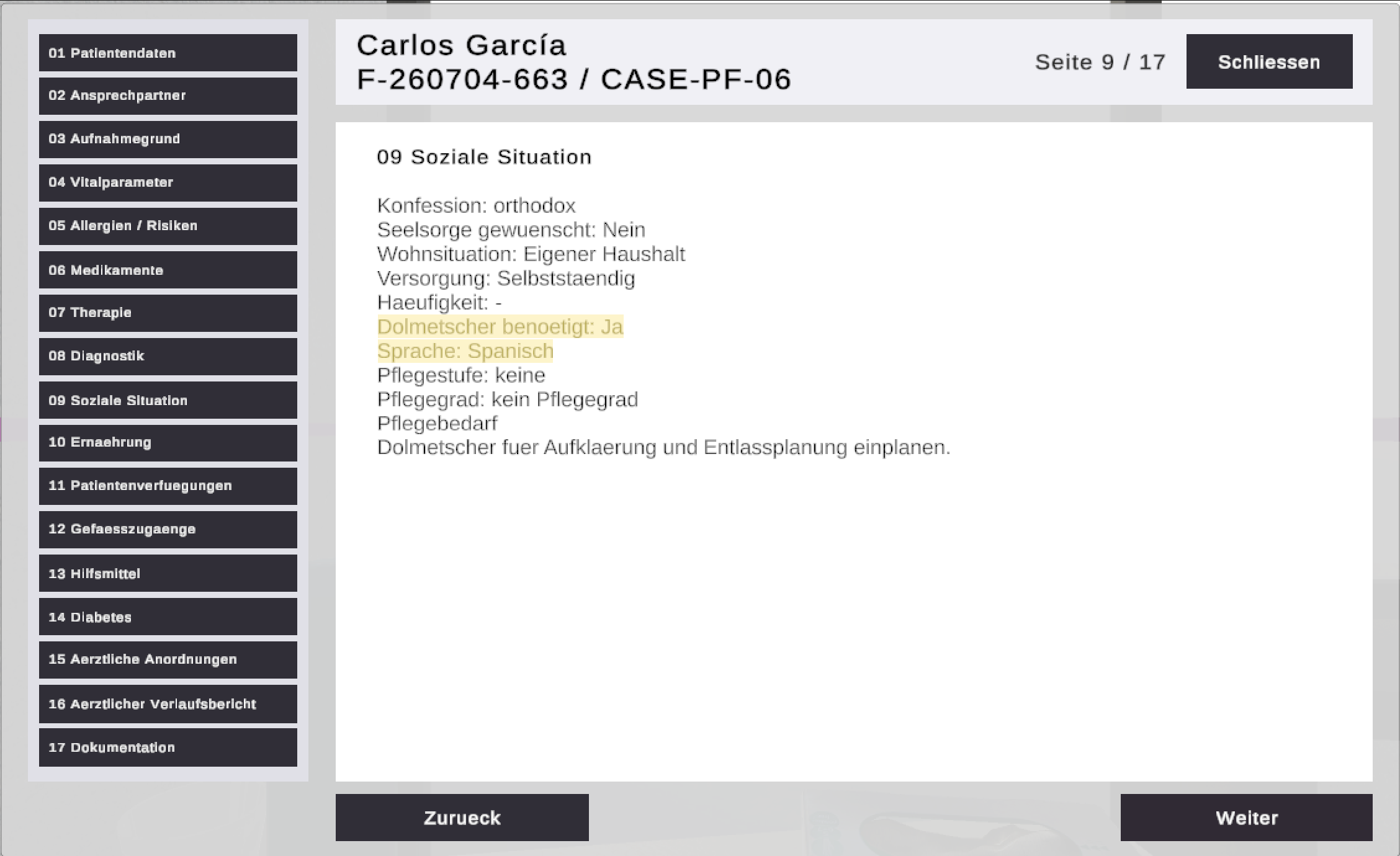
Interactive patient file
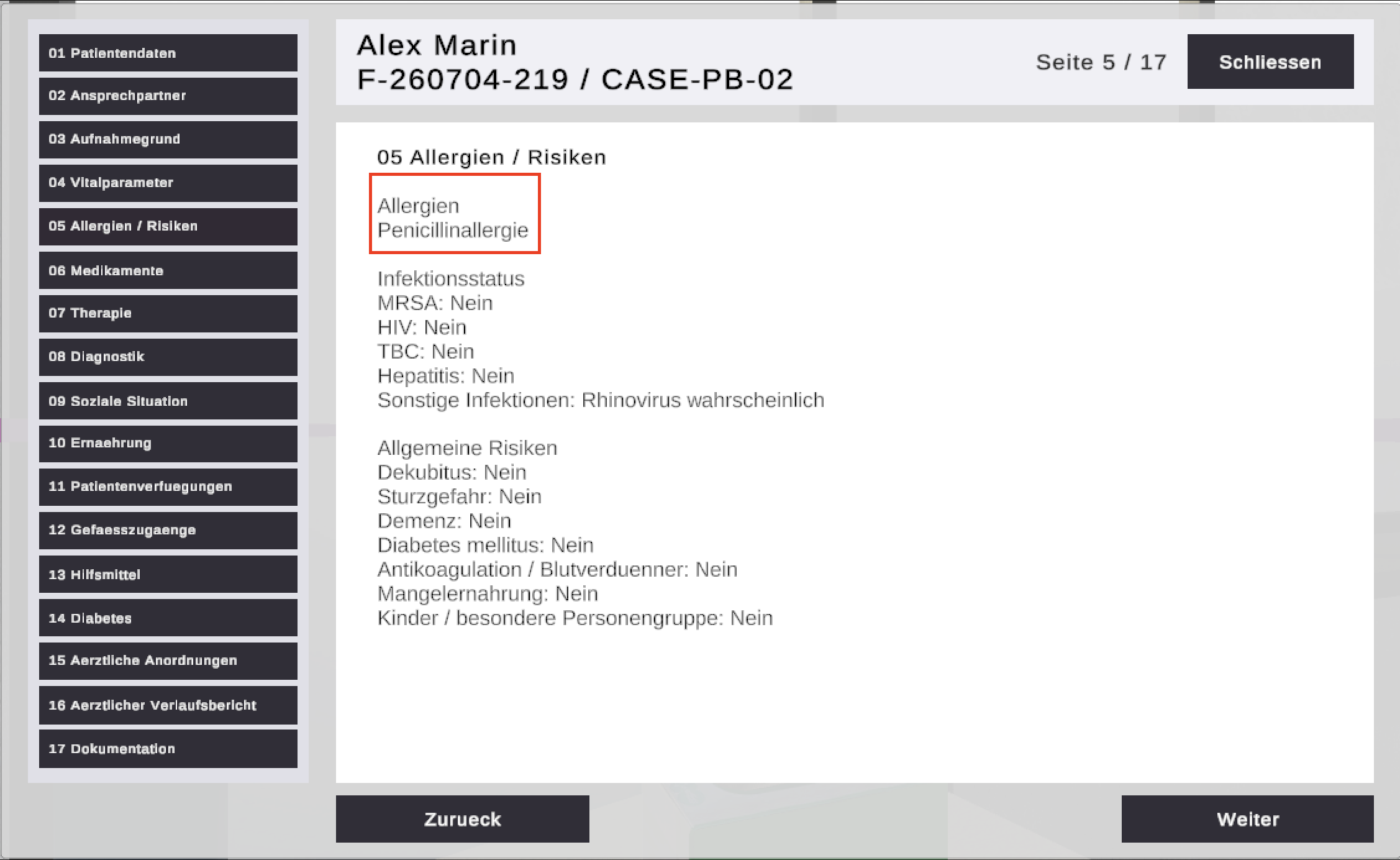
Patient file — the multi-page clipboard record; here the allergy section that conflicts with the prescribed medication (error 30):
Decision popups (patient-specific scenarios)
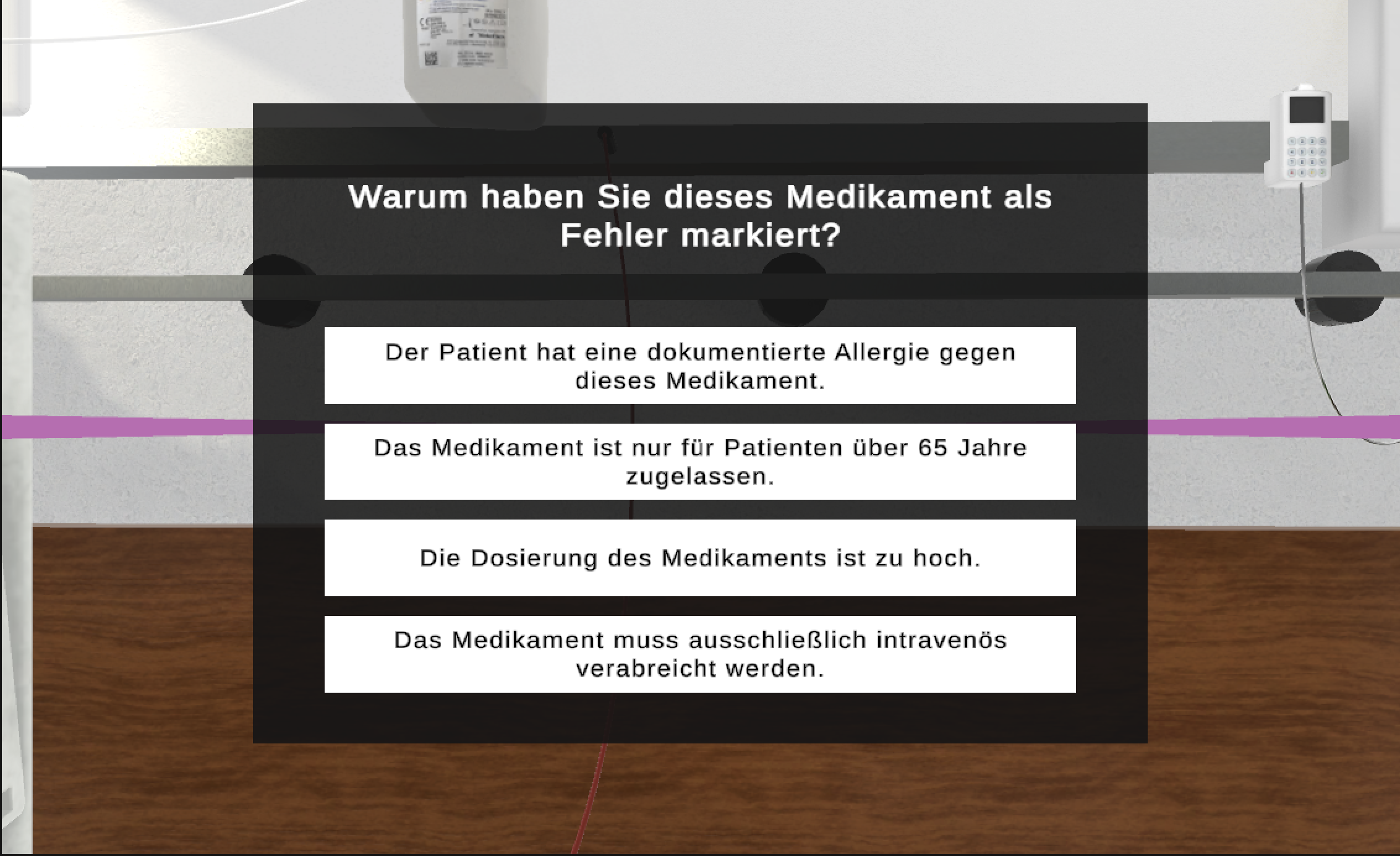
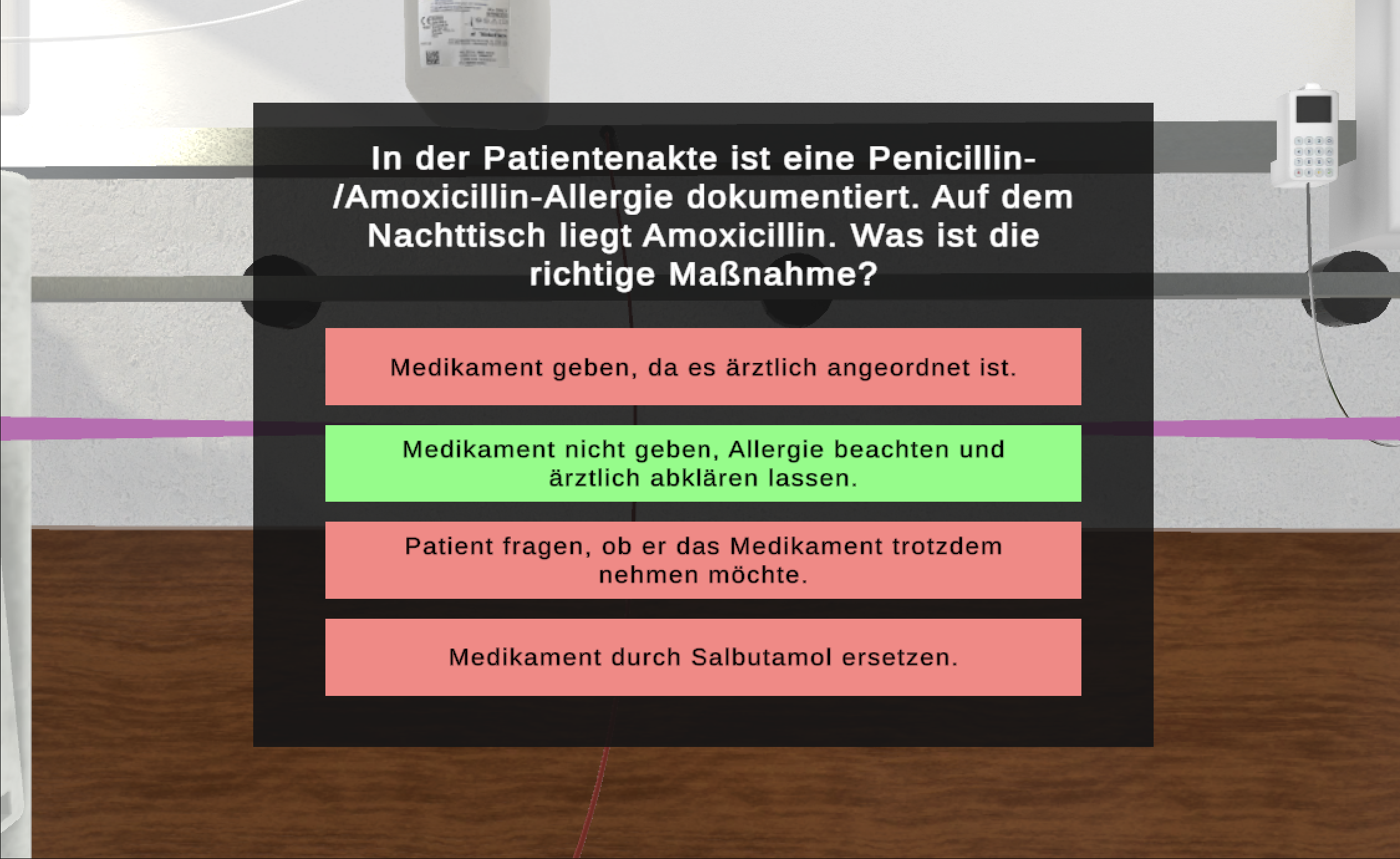
Allergy conflict (patient B, error 30) — only the professionally correct answer resolves the error:
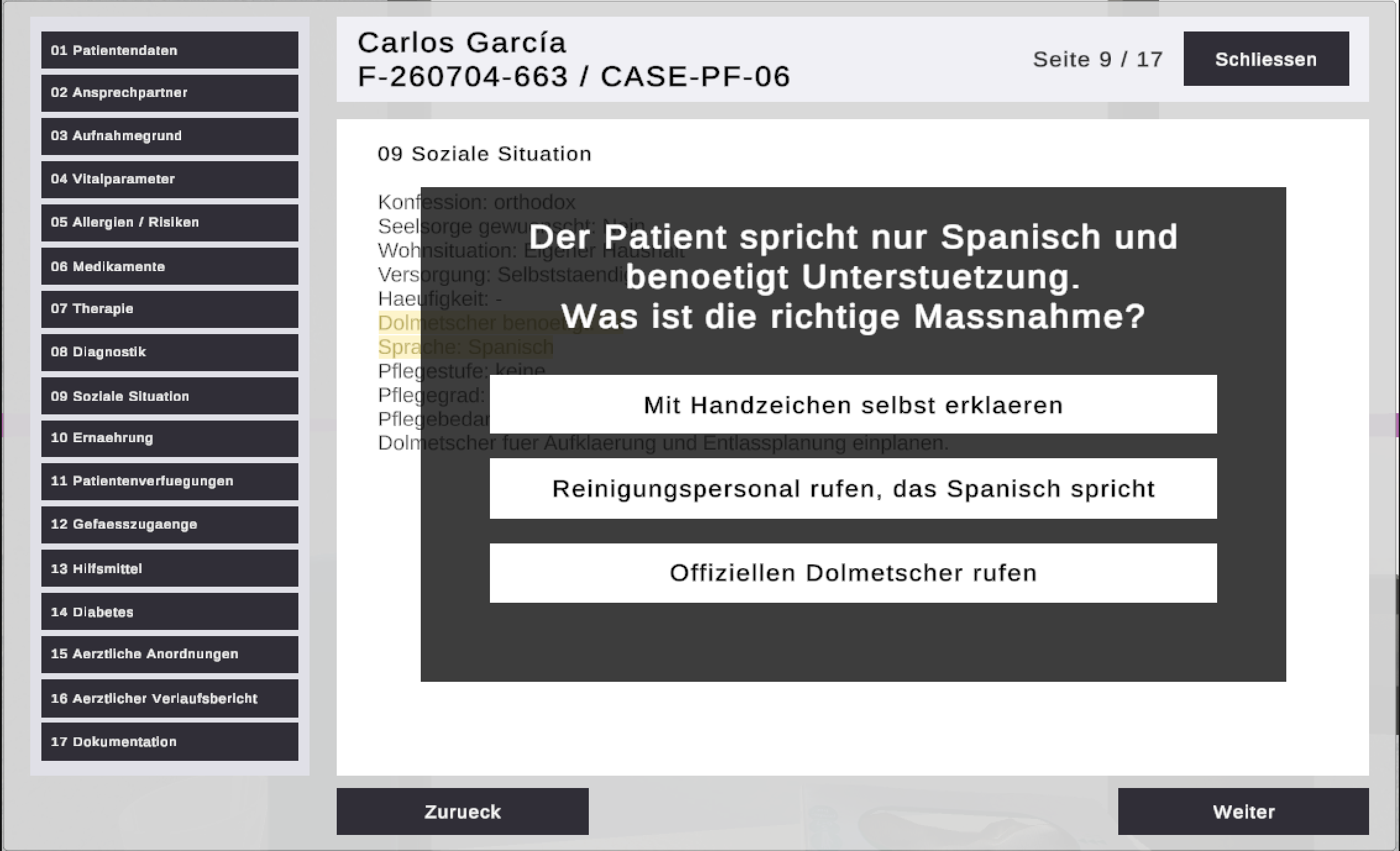
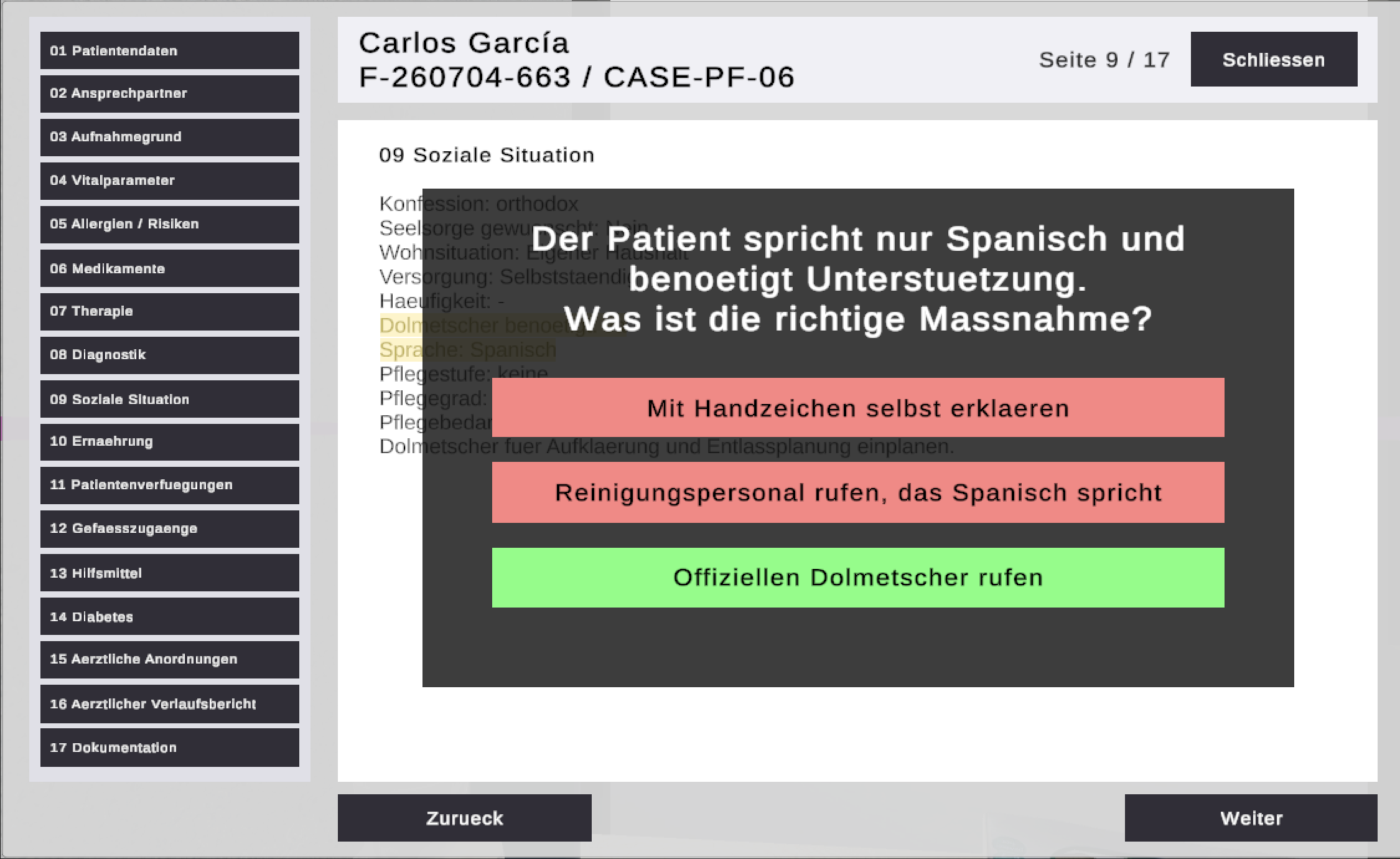
Interpreter needed (patient F, error 27) — communication decision for a patient who speaks no German:
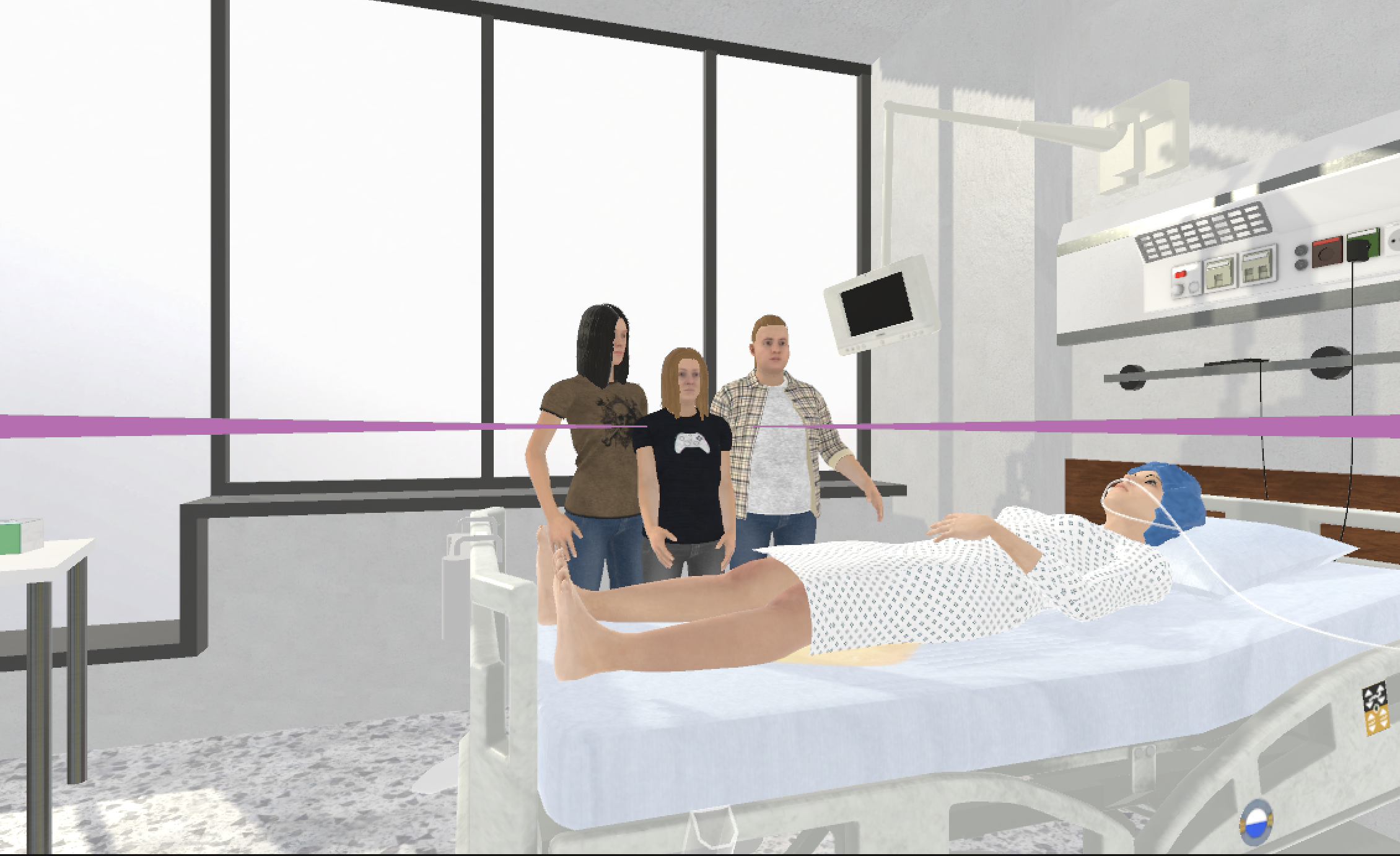
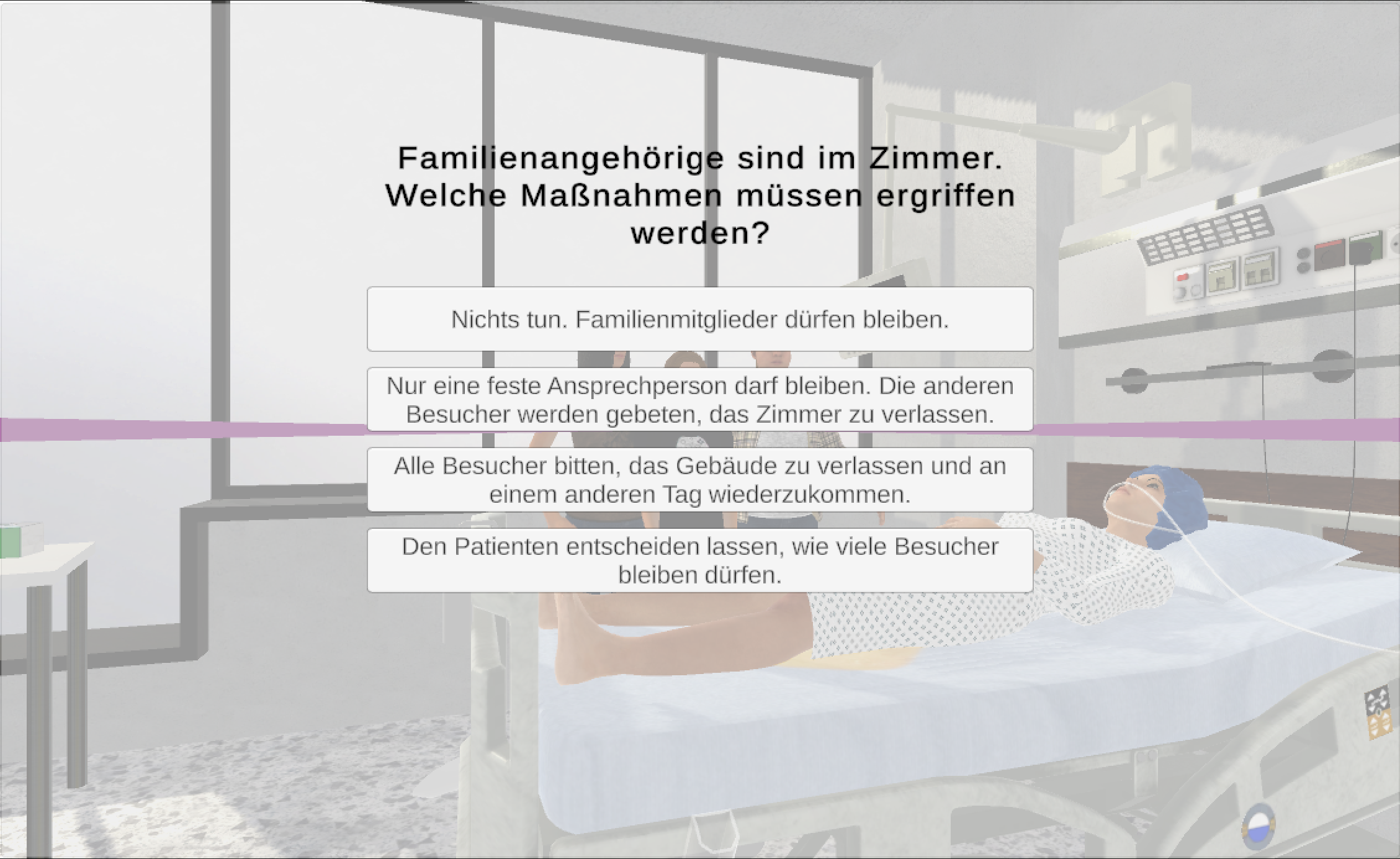
Too many visitors (patient C, error 22) — the visitor scenario in the room and its decision dialog:
Room error scenarios
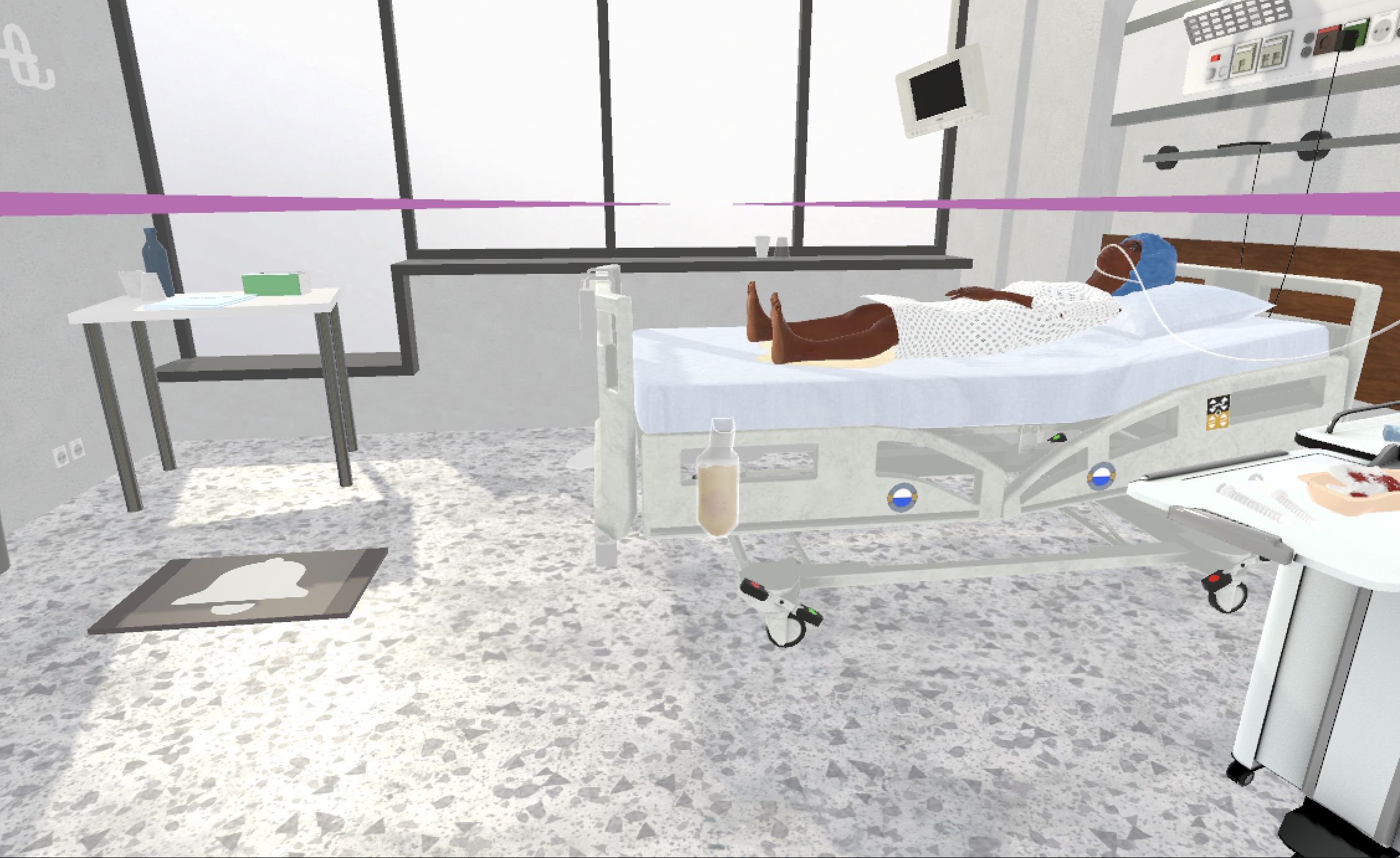
Sensor mat in the wrong position (patient D, error 23):
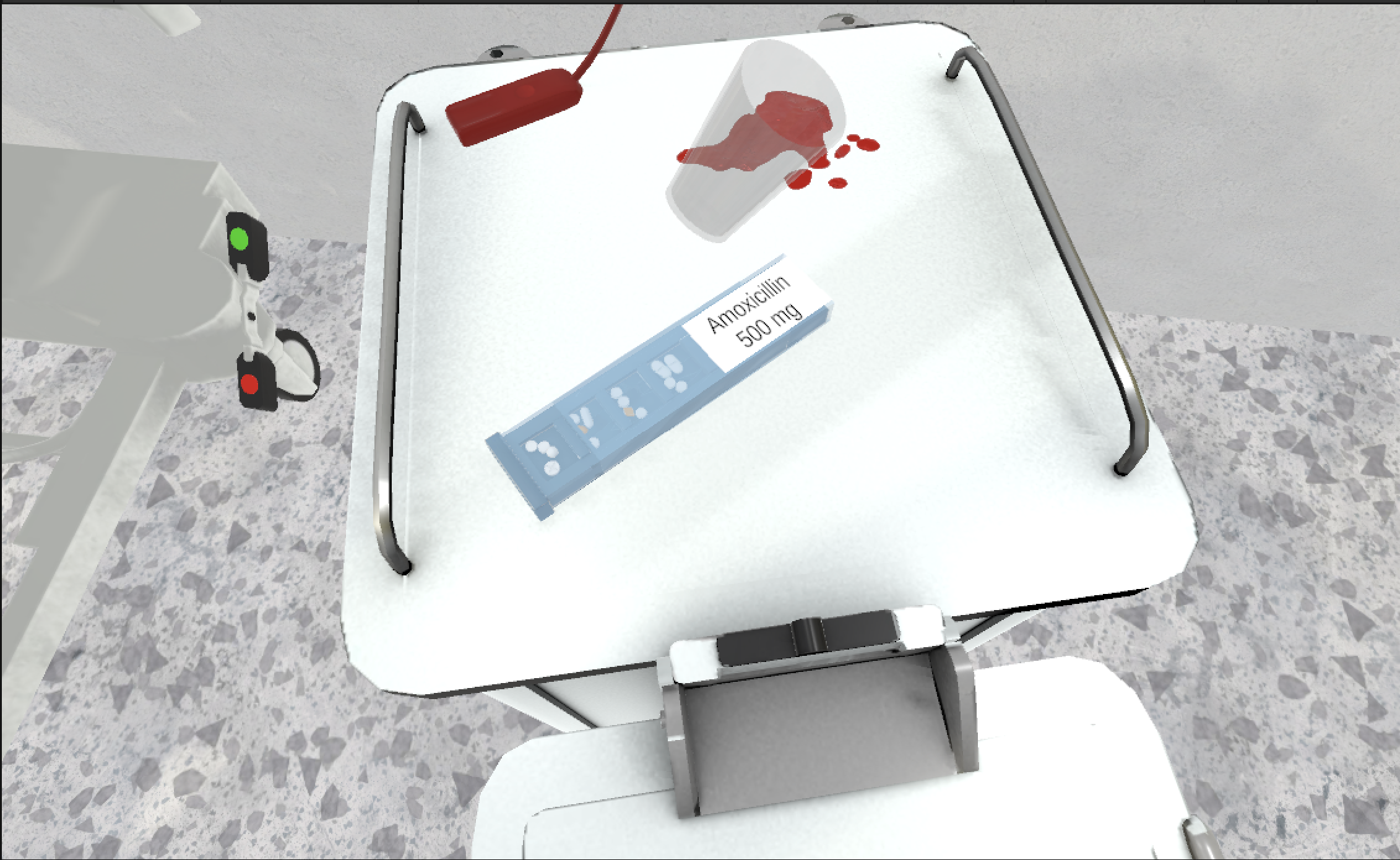
Medication conflicting with the documented allergy (error 30):
Information sources
- Screenshots taken from the running application (July 2026), stored in
docs/static/screenshots/ room-of-horror-assets/design.xdand asset folders- Frontend components and styles as referenced above
- “Room of Horror 2.0” used the inherited XD design plus in-code iteration.
Missing information
- Design iterations of version 1.0 (before the handover) are not documented in this repository. This information is not available from the provided project.
- Not every patient profile has a dedicated VR screenshot yet.
Suggested improvements
- Add one VR screenshot per remaining patient scenario.
Last build: 19 Aug 2026, 05:20+00:00